Best Free PDF to Word Converter in 2026: Tested on Real Documents
Find the best free PDF to Word converter in 2026. Compare OCR accuracy, formatting preservation, DOCX quality, and conversion performance
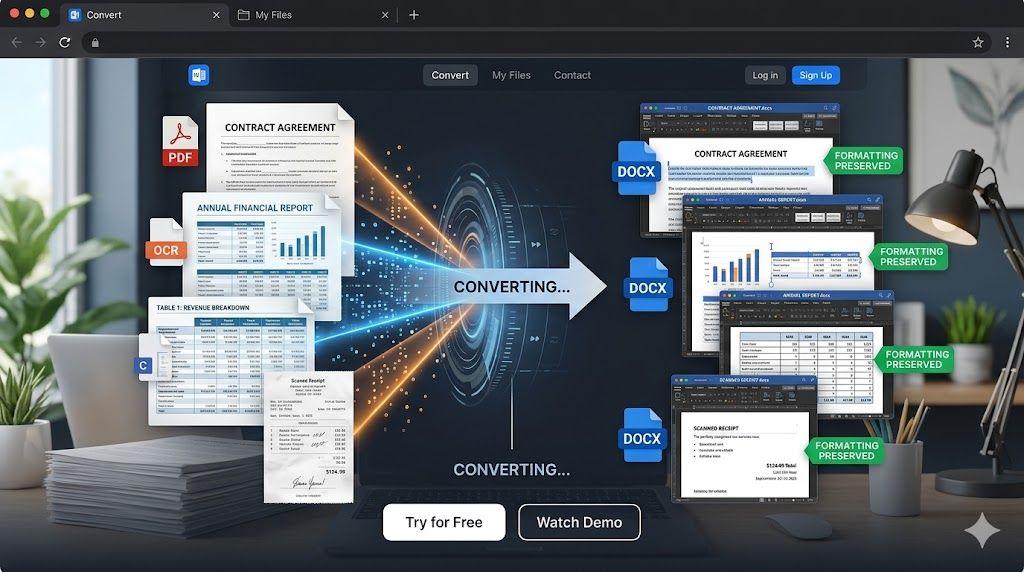
Not all PDF conversion tools are created equal.
If you've ever converted a PDF into Word only to find broken formatting, missing tables, shifted images, or scrambled text, you already know how frustrating the process can be. What should take seconds often turns into an hour of fixing layouts and reformatting content.
Whether you're working with contracts, business reports, research papers, study materials, or scanned files, choosing the best free PDF to Word converter can make a huge difference. A reliable PDF to Word converter should do more than simply extract text—it should preserve the structure of your document and create a file that's actually usable.
In this guide, we'll break down what separates a great converter from an average one, how to evaluate conversion quality using real-world documents, and what features to prioritise when you need to convert PDF to Word quickly and accurately.
What Makes a Great PDF to Word Converter?
The goal of any conversion tool is simple: create an editable document without forcing you to rebuild the file afterwards.
Here are the features that matter most.
Formatting Preservation
One of the biggest challenges in conversion is maintaining the original layout. A quality converter should preserve formatting PDF to Word, including fonts, spacing, headings, images, tables, and page structure.
DOCX Support
Most users need a fully editable Word document. Strong converters generate clean PDF to DOCX files that work seamlessly in Microsoft Word and compatible editors.
OCR Capability
Not every PDF contains editable text. Some are scanned images. OCR technology allows a converter to recognise text inside those images and transform it into editable content.
Speed
Nobody wants to wait several minutes for a simple conversion. Fast processing improves productivity, especially when handling multiple files.
Ease of Use
A modern online PDF to Word converter should work directly in a browser without downloads, installations, or technical setup.
Security
Many PDFs contain sensitive information. Secure file handling and automatic file deletion are important considerations.
What is the best free PDF to Word converter?
The best PDF to Word converter preserves formatting, supports OCR for scanned documents, creates editable DOCX files, and works directly in a browser without requiring software installation.
How We Evaluated PDF to Word Conversion Quality
When testing conversion tools, simple documents only tell part of the story.
Real-world PDFs come in many formats, each presenting different challenges.
Simple Documents
Basic text files help evaluate font preservation, paragraph spacing, and heading structure.
Reports
Reports often include charts, graphics, headers, footers, and multiple formatting styles.
Contracts
Legal documents require precise formatting. Even small layout changes can affect readability.
Tables
Tables are often where conversion tools struggle most. Accurate table recognition is essential.
Image-Rich PDFs
Brochures, presentations, and marketing materials test image placement and formatting consistency.
Scanned PDFs
Scanned files rely on OCR technology. Testing these documents helps evaluate recognition accuracy and output quality.
By reviewing multiple document types, it's easier to identify a converter that performs consistently across different use cases.
Key Features to Look For
If you're comparing tools, focus on the features that directly affect editing quality and efficiency.
Formatting Retention
The ability to convert PDF to editable Word while preserving layouts can save hours of manual correction.
Table Recognition
Tables should remain structured and editable after conversion.
Font Matching
Accurate font recognition helps maintain the original appearance of the document.
OCR Support
OCR enables text extraction from scanned files and image-based PDFs.
If you're working with scanned documents, using an OCR PDF tool before conversion can significantly improve results.
Editable Output
A good converter should create clean PDF to DOCX files that are ready for editing immediately.
Browser-Based Access
Many users prefer an online PDF to Word converter because it works across devices without requiring software installation.
What is the easiest way to convert a PDF to editable Word?
Upload your PDF to an online converter, process the file, and download the editable DOCX version. Most modern tools can complete the process in just a few clicks.
Common Problems With Low-Quality PDF Converters
Not every PDF to Word free tool delivers reliable results.
Here are some common issues users encounter.
Broken Layouts
Text sections shift unexpectedly, making documents difficult to read.
Missing Images
Graphics and embedded visuals may disappear entirely during conversion.
Table Corruption
Tables often lose alignment or formatting, creating messy output.
Incorrect Fonts
Font substitutions can alter the look and spacing of a document.
OCR Errors
Poor OCR performance can introduce spelling mistakes and recognition errors in scanned documents.
Why do some PDF to Word converters lose formatting?
Formatting issues occur when the converter cannot accurately reconstruct fonts, tables, images, or document layouts from the original PDF structure.
Why Formatting Preservation Matters
Formatting isn't just about appearance. It affects usability, professionalism, and collaboration.
Business Documents
Proposals, reports, and client-facing documents need to maintain a polished appearance.
Academic Papers
Students and researchers rely on accurate citations, references, and formatting structures.
Contracts
Legal documents require consistency and precise layouts.
Reports
Reports often contain complex formatting, charts, and structured data.
Presentations
Presentation materials frequently include design elements that should remain intact after conversion.
The ability to preserve formatting from PDF to Word reduces editing time and improves workflow efficiency.
Does PDF to Word conversion preserve formatting?
Many modern converters preserve formatting, including fonts, images, headings, and tables, although results may vary depending on document complexity.
How OCR Improves PDF to Word Conversion
OCR, or Optical Character Recognition, plays a major role in modern document conversion.
Without OCR, scanned PDFs are essentially images.
With OCR, text inside those images becomes searchable, editable, and reusable.
Benefits include:
- Editable content
- Searchable documents
- Improved accessibility
- Easier document management
Users who need to convert scanned PDFs to editable Word should prioritise converters that include OCR functionality.
Can a PDF to Word converter handle scanned documents?
Yes. OCR-enabled PDF to Word converters can recognise text inside scanned PDFs and convert it into editable Word content.
How does OCR work in PDF conversion?
OCR identifies characters within scanned images and converts them into editable text while attempting to preserve document structure and layout.
Why Many Users Choose VelaPDF PDF to Word
When selecting a conversion tool, users often prioritise simplicity, accuracy, and convenience.
Browser-Based Conversion
VelaPDF PDF to Word works directly in a browser, allowing users to convert documents without downloading software.
Editable DOCX Output
Users can create editable Word documents suitable for business, academic, and personal use.
OCR Support
The VelaPDF converter supports OCR processing for scanned and image-based PDFs.
Easy Workflow
The conversion process is designed to be straightforward, even for users with limited technical experience.
Formatting Preservation
Many users choose to convert PDFs with VelaPDF because maintaining layouts, tables, and document structure is a priority.
No Software Installation
Because the VelaPDF converter is browser-based, files can be converted from virtually any device.
For users managing multiple document formats, related tools such as PDF to JPG and JPG to PDF can also support broader document workflows.
Is browser-based PDF conversion safe?
Most reputable online converters use secure processing methods and temporary file storage. Users should always review privacy and security policies before uploading sensitive files.
Who Benefits Most From PDF to Word Conversion?
PDF conversion is useful across many professions and industries.
Students
Convert lecture notes, assignments, and study materials into editable documents.
Teachers
Update worksheets, lesson plans, and educational resources.
Researchers
Reuse content from reports, journals, and research papers.
Businesses
Modify contracts, proposals, presentations, and internal documentation.
Freelancers
Edit client documents and project materials more efficiently.
Legal Professionals
Review and revise legal documents while preserving structure and readability.
Tips for Better Conversion Results
To get the most accurate results:
- Use high-quality PDF files
- Scan documents properly before conversion
- Review OCR output carefully
- Check tables after conversion
- Verify image placement
- Save DOCX backup copies
- Proofread important documents
For scanned files with incorrect page orientation, consider using a Rotate PDF tool before conversion.
If you only need to make small changes, an Edit PDF tool may be a faster option than converting the entire document.
Frequently Asked Questions
Is PDF to Word conversion free?
Many platforms offer free PDF-to-Word conversion, although some may limit file size or advanced features.
Can scanned PDFs be converted?
Yes. OCR-enabled converters can recognise text within scanned PDFs and create editable Word documents.
Will formatting stay intact?
Most modern converters preserve formatting reasonably well, though results may vary depending on document complexity.
Is DOCX the best output format?
In most cases, DOCX is preferred because it offers broad compatibility and full editing capabilities.
Can PDFs be edited after conversion?
Yes. Once converted, the document can be edited, updated, and saved like any standard Word file.
What is an editable Word from a PDF?
An editable Word from PDF is a converted document that allows users to modify text, tables, images, and formatting after conversion.
What is the difference between PDF to DOCX and PDF to Word?
DOCX is the standard file format used by Microsoft Word. In most situations, the terms are used interchangeably.
Conclusion
Choosing the best free PDF to Word converter depends on several factors, including formatting accuracy, OCR quality, editable DOCX support, security, and ease of use.
Whether you're working with contracts, reports, academic papers, presentations, or scanned documents, the right converter can dramatically reduce editing time and improve productivity. Features such as OCR support, formatting preservation, and browser-based access are especially important for users who regularly manage complex files.
If you're looking for a practical way to create editable Word documents while maintaining layouts, tables, and document structure, VelaPDF PDF to Word offers a simple and efficient solution.
You can also streamline your workflow with related tools such as OCR PDF, Edit PDF, Rotate PDF, PDF to JPG, and JPG to PDF, depending on your document needs.
Related Articles

How to Merge Multiple PDFs in Under 30 Seconds – Free & No Sign-Up Required
"Merge multiple PDFs online for free in under 30 seconds with VelaPDF. No sign-up, no watermarks, no limits. Simply drag & drop files, reorder, and combine them instantly in your browser — fast, secure, and beginner-friendly.
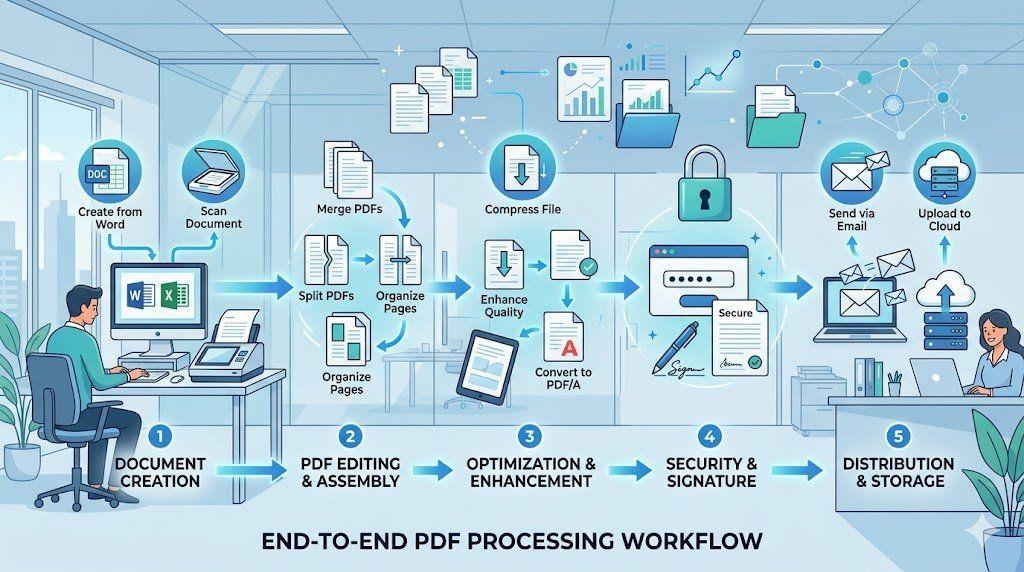
End-to-End PDF Processing System for Office Work
Learn how to implement a complete end-to-end PDF processing system for office work. This step-by-step guide covers everything from document creation and scanning to organization, optimization, security, and seamless distribution — helping teams eliminate chaos, reduce file sizes, and boost productivity with a structured PDF workflow
Related Tools
Ready to optimize your PDFs?
Experience the world's fastest PDF tools today.