10 Best Free PDF Tools in 2026 – Features, Pros, Cons
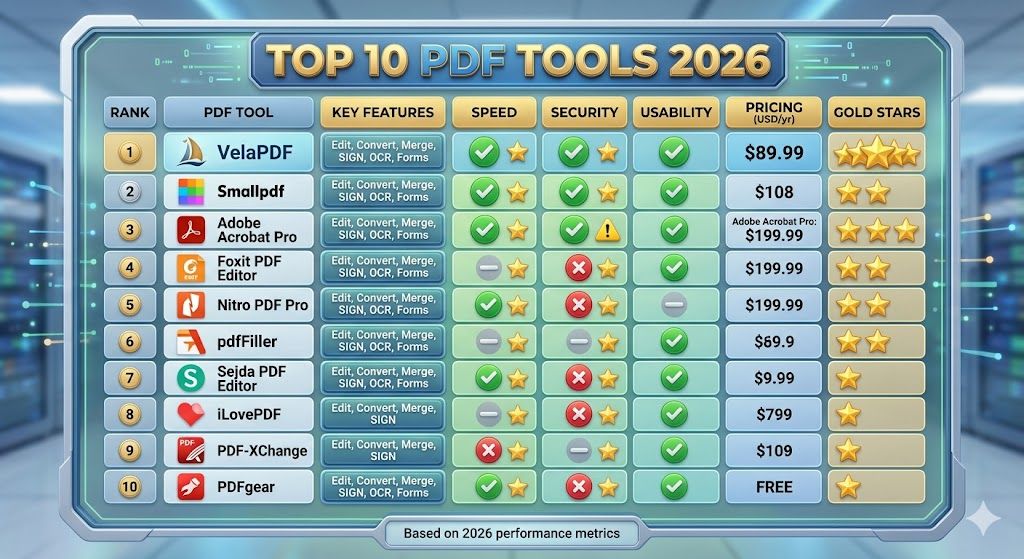
Velapdf tops the list of the best free PDF tools in 2026. It offers core PDF tools in one platform — edit, convert, compress, merge, split — without login or watermarks. Fast, simple, and beginner-friendly with 55+ tools."
Most of us just want to open a PDF, make a quick edit, and move on. Correct? But instead, we sometimes end up dealing with slow tools, unnecessary login, or annoying limits, confusing tool’s structure.
The reality is, most PDF editor online free tools are either too restricted or not safe enough for daily use. That’s why, we tested multiple tools and filtered out the ones that can actually help you in your daily PDF-related work.
This guide gives you the top PDF tools 2026 has to offer. Whether you want to edit PDF online free, convert files, or compress, here, you’ll find the right tool here without wasting time.
Top 10 Best Free PDF Tools: You Can Use Right Now
1. VelaPDF (Best Overall)
Velapdf tops this list of the best free pdf tools in 2026. It offers core PDF tools in one platform without unnecessary login, setups, or making users switch platforms.
Key Features:
- Edit text and pages
- Convert, compress, merge, split files
- Fast browser-based use
- Allow max file size of 25 MB
- Offers 55+ free PDF tools
Pros:
- Clean and simple design
- Useful all-in-one toolkit
- Easy for beginners
- Lightening fast speed
Cons:
- Newer brand than older competitor
Best for: All users
Why it ranks #1: Many free tools out there offer one feature well, but lacks in others. You might have experience this. On the other hand, Velapdf gives users editing, conversion, compression, and file management in one place. If you need one daily-use tool, this is the strongest pick.
2. Smallpdf
Smallpdf is another free PDF tool that is preferred due to its easy interface and bulk features.
Standout Features:
- Smart design
- PDF convert and compress tools
- Offers 30+ tools
Pros:
- E-sign support
- Very easy to use
- Good file quality
Cons:
- Daily free limits
- Some tools locked behind premium plans
Best for: Beginners
3. ILovePDF
ILovePDF is 100% free, and is known for offering many PDF utilities in one place.
Standout Features:
- Merge PDF online
- Split files
- Watermark tools
Pros:
- Large tool collection
- Batch conversion
- Good for students
Cons:
- Ads on free version
- Some task limits
Best for: Students and regular users
4. PDF24 Tools
PDF24 Tools is a best choice for those who want to work on PDF offline in a desktop version.
Standout Features:
- No limits and no watermarks
- OCR tools
- Offline desktop version available
Pros:
- Many free tools, from edit to conversion
- No installation or registration required.
- Strong privacy options
Cons:
- Interface feels old
- Less modern than newer platforms
Best for: Users who want offline control
5. Sejda
Sejda is one of the simple and reliable options if you need to edit pdf online free.
Standout Features:
- Direct text editing
- Page rearranging
- Auto-delete files after 2 hours
Pros:
- Can upload up to 50 MB file size
- Real editing tools
- Privacy-friendly
Cons:
- 3 tasks per day
- Page limits on free plan (200 Pages)
Best for: Everyone
6. Adobe Acrobat Online
Adobe offers a free online version of Acrobat for simple tasks.
Standout Features
- Trusted brand (over 850 million users)
- Convert and sign files
- Good file compatibility
Pros:
- Reliable output
- Familiar name
- Good for annotations and signing
Cons:
- Limited free features
- Pushes paid upgrade often
Best for: Users who trust Adobe ecosystem
7. Soda PDF
Soda PDF offers browser and desktop access with nice flexibility.
Standout Features:
- Edit and convert tools
- Cloud storage support
- E-signing and OCR capabilities
Pros:
- Works across devices
- Translate document in multiple languages
- Balanced feature set
Cons:
- Free tier is basic
- Some features slower than rivals
Best for: Mixed desktop and online use
8. PDFescape
PDFescape is useful for form filling that works in both online and offline mode.
Standout Features:
- Password Protection
- Creating form fields
- Fill forms
Pros:
- No install needed
- Good for form filling
- Basic annotations
Cons:
- Old interface
- Limited file size support
Best for: Filling government forms online
9. DocFly
DocFly focuses on fast online editing and conversion.
Standout Features:
- Works on Chrome, IE, Firefox, and Safari
- Quick upload
- Convert documents
Pros:
- Simple workflow
- Clean design
Cons:
- Tight free limits
- Better for small jobs only
Best for: Basic document editing
10. HiPDF
HiPDF is best for those who work on PDF more professionally, offering 48 tools with a modern interface.
Standout Features:
- AI Powered analysis
- “Chat With PDF” to summarize file
- Offers 48 free PDF tools online
Pros:
- You can read PDF with AI
- Nice layout
- Useful conversion tools
Cons:
- Some premium locks
- Upload speed can vary
Best for: Professional users
How to Choose the Right PDF Tool in 2026
Since, there is a chance that your important PDF data might get stolen if you upload on wrong tool, it’s necessary to choose the right one.
Keep these important things in mind when making your free PDF tool choice:
Speed That Doesn’t Slow You Down
A good free PDF tool should upload, process, and download files quickly. Slow tools waste more time than they save.
File Safety & Data Privacy
Check if files are encrypted or deleted after processing. This matters for contracts, IDs, and personal files.
Simple, Clutter-Free Interface
You should not need five clicks to merge two files. Good tools keep things clear.
Must-Have Features
Look for tools that let you:
- Edit PDF documents online
- Compress large PDF
- Merge multiple files
- Convert PDF to Word, Excel, PowerPoint, Video, etc.
These are basic tools that need to be on the platform.
No Hidden Limits or Watermarks
Some free tools out there always add watermarks or block downloads after editing. Avoid those.
Example: A good PDF tool, like VelaPDF, includes everything, from being fast, secure, easy to use, to offer editing, conversion, and compression without restrictions.
FAQs
Q1: What is the best free PDF tool in 2026?
A. VelaPDF is clearly the best PDF tool in 2026 because it offers editing, conversion, and compression in just seconds. It is also a free PDF tool, with advanced features at some cost.
Q2: Can I edit PDF online for free?
A. Yes, many best free pdf tools allow it to edit PDF online at free of cost. With tools like VelaPDF, Sejda, and PDFescape, you can easily edit your PDF.
Q3: Are free PDF tools safe?
A. Not every free PDF tools is safe. But there are many, like VelaPDF that focuses on security from uploading files to giving outputs. We even delete files within 10 minutes after processing.
Q4: Which PDF tool has no watermark?
A. There are some tools that allow you to download PDF documents without watermark, including VelaPDF, PDF24 Tools, Sejda, and some ILovePDF tools.
Final Thoughts
The best free PDF tools 2026 should save time and make daily work easier. There are some tools that only offer basics, while others add limits or slow processing.
After comparing the top free PDF tools, we’ve come to the conclusion that “VelaPDF” is best among all. It stands out for speed, simple design, and useful features in one place.
If you want a pdf editor online free, free pdf converter, or merge PDF online option, it handles every task smoothly. So why wait? Try VelaPDF now and simplify your PDF workflow.
Related Articles

How to Merge Multiple PDFs in Under 30 Seconds – Free & No Sign-Up Required
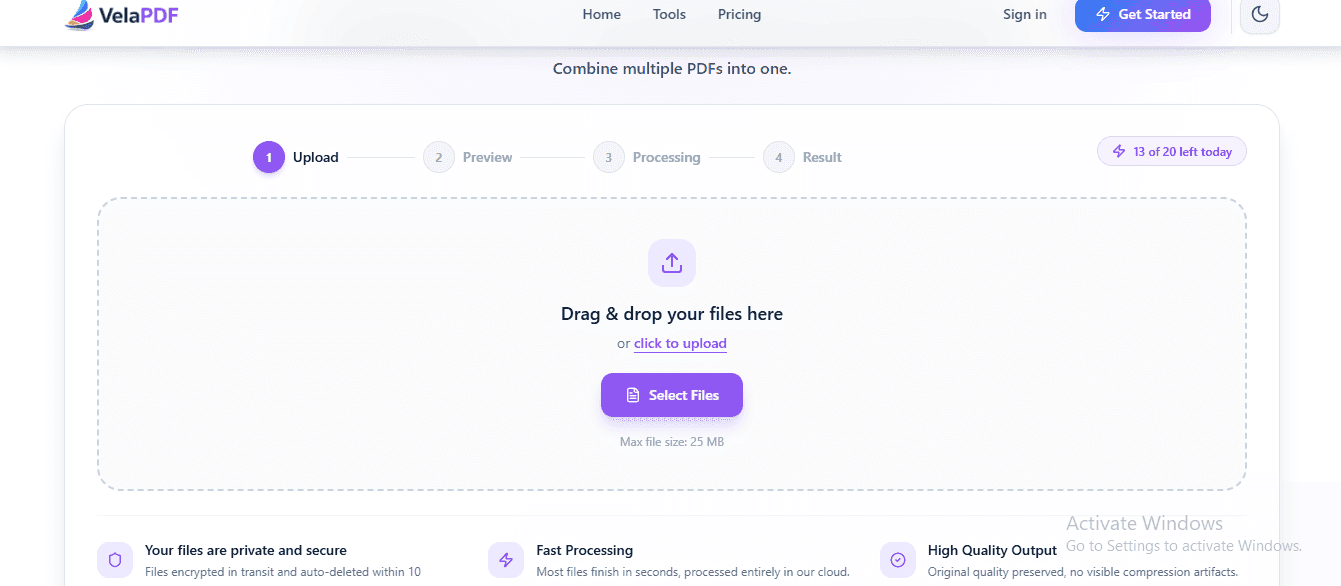
"Merge multiple PDFs online for free in under 30 seconds with VelaPDF. No sign-up, no watermarks, no limits. Simply drag & drop files, reorder, and combine them instantly in your browser — fast, secure, and beginner-friendly.
How to Merge PDF Files Online for Free — No Sign-Up Needed
Need to merge PDF files online for free? Skip the software and sign-ups. This guide shows you how to combine multiple PDFs into one clean document in seconds — right from your browser.
Related Tools
Ready to optimize your PDFs?
Experience the world's fastest PDF tools today.