How to Merge PDF Files Online for Free — No Sign-Up Needed
Need to merge PDF files online for free? Skip the software and sign-ups. This guide shows you how to combine multiple PDFs into one clean document in seconds — right from your browser.
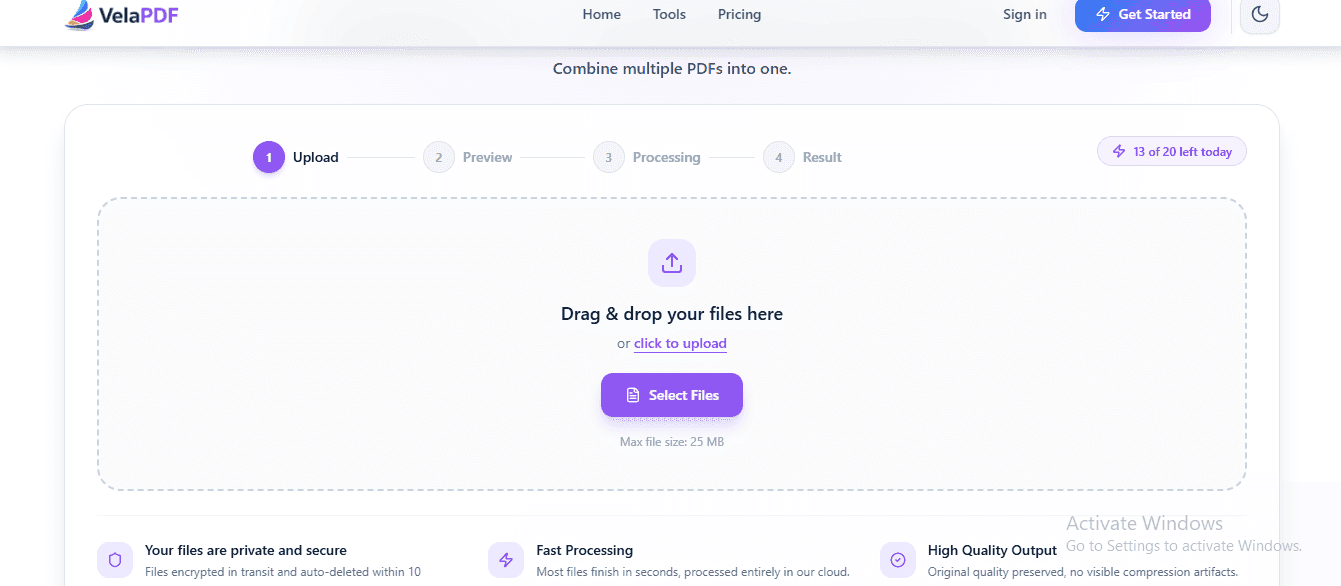
If you need to merge PDF online free without downloading software or creating an account, you are not alone. Students and office personnel or freelancers require a quick method to merge two or multiple PDF files into a single document. Creating multiple files for one project can lead to confusion and a time spent you could be using to develop products or work.
Thankfully, there are also tools like VelaPDF that allow you to combine PDFs online with only a few clicks. Guessing is a totally free experience that doesn't require them to sign up. There's no requirement to give away your email or install bloated apps on your computer.
This step-by-step guide will help you merge PDF docs without software and registration. We'll see the specific processes for combining your files fast, discuss some of the practical examples, and confirm why they are secure while processing on a web browser.
Why People Need to Merge PDF Files
It can be quite chaotic with so many documents in the digital world. It's a good idea to merge all files into one PDF to help you keep all your digital paperwork organized and professional. It also guarantees that your recipient gets all the products in the order you want.
Here are the most common situations where you need to combine PDF no sign up:
- School Assignments: Students often have to combine separate scanned pages, research notes, and cover sheets for one final submission to the school online.
- Job Applications: Job hunters usually submit their work resume, cover letter and a professional certificate to the hiring recruiter in one package.
- Business Operations: Office workers or freelancers utilise a PDF merger no account to gather Invoices, Monthly Receipts and Financial Report into one neat folder.
- Legal Documents: Document legal documents such as contracts, state IDs, addendums, etc. from multiple pdf files within a single document.
By using an online pdf merge tool, you will be able to streamline your work. Instead of sending five separate email attachments, you send one clean document that anyone can open instantly.
How to Merge PDF Files Online for Free
The process of combining your files should be fast and simple. To use a browser PDF merger, you don't need technical skills.
The quickest method to join PDFs with VelaPDF is as follows:
Step 1 — Upload Your PDF Files
First, launch the preferred web browser and visit the online PDF merge tool. To add files from your device, click the upload button. Even better, you can have the convenience of a convenient drag and drop support to pull your files directly from the desktop to the browser window. Since it is a browser-based PDF merger you will have zero hassle for installation.
Step 2 — Arrange the PDF Pages
After uploading, you'll find visual thumbnails of your documents on the screen. This section allows you to have full control before performing the merge. You can reorder files by dragging them into the correct sequence. Easily organize pages to ensure that your introduction is followed by the conclusion. There is an option of removing extra pages instantly if you see an extra page that you do not want.
Step 3 — Click Merge and Download
When your documents look perfect, simply click the merge button. The platform offers instant processing of files which means files are merged in seconds. After the system has completed the job, your safe download link is displayed. Double-click the link to save your document. In a moment you will have your PDF merged, you will never get to filling out an enrollment form.
Why Use VelaPDF for PDF Merging
When you need a reliable free PDF merger online, you want a tool that respects your time and your privacy. VelaPDF is a fantastic online tool to process all your documents daily.
These are the main advantages of using this platform:
- No Sign Up Required: You never have to create a username, remember a password, or verify your email address.
- Fully free to use: No hidden fees, No credit card requests, No watermarks on your output files.
- Cross Platform Compatibility: The tool is mobile and desktop compatible. Files can be merged on an iPhone, an Android tablet or a Windows computer.
- No hassle Design: Cleanly designed home interface, requires no technical skills for the novices who wants to start from scratch.
- Speed and Security: The system is fast and secure, data privacy being a key feature.
- Mid Article Tip: Need a faster way to combine PDFs? Merge PDF files online in your browser for free with VelaPDF PDF merge.
Is It Safe to Merge PDFs Online?
When sharing sensitive files online, security is a significant problem. People should worry about leaking personal documents online.
A professional online PDF combiner comes with advanced security measures designed to safeguard your digital documents. The platform is one that has secure HTTPS encryption. This will scramble data as it is sent from your computer to the server, preventing hackers from seeing your files.
Second, it has the capability to delete files automatically. Your files do not sit on a public server forever. Transitions delete your uploaded files and your merged file shortly after you're done downloading.
Lastly, it gives a great deal of privacy advantage because you do not have to make an account. There's no personal profile for a data breach to break because you don't provide your name, email address, or financial information. A very secure PDF merging for modern demands of security.
Merge PDF Online Free vs Desktop Software
Should you use a free online PDF merger or download an offline program? Let's look at both options and determine what is best for you now.
Feature | Online PDF Merger | Desktop Software |
Installation | No installation needed | Yes, requires installation |
Sign Up Needed | No account required | Sometimes required |
Works on Mobile | Yes, fully compatible | Very limited support |
Speed | Instant processing | Depends on your system |
Storage Space | Uses zero disk space | Uses local disk space |
For students and hectic office workers, an online PDF combiner can save a huge amount of time. There's no need to purchase costly software licenses for a simple task that takes only two minutes.
Common Problems When Combining PDFs
It is possible to encounter some minor problems when merging PDFs online. If you know how to solve these problems, it will help you stay on track with your project.
- File Size Limitations: Certain free tools don't accept large files. You can use a tool to compress PDF documents if you need to merge them, but your files are too heavy.
- Formatting problems: If the fonts are not appearing correctly after the merge, your original documents may have been created in nonstandard PDF formats.
- Upload Errors: Internet connections with weak signals can disrupt the uploading. To check successful upload, if not, check connection and try again.
- Browser Compatibility: Some older Internet browsers may have issues with drag and drop tools. Changing to a newer browser will often resolve the problem right away.
Tips for Merging PDFs Faster
The digital paperwork of the world is something many people have to deal with every day, here are some quick tips to help them work even faster:
- Compress Files First: Smaller files upload and download much quicker.
- Upload Documents Properly: Name files Part 1 and Part 2 before uploading so that they can be arranged properly.
- Modern Browsers: Try to open your online PDF merge tool in the latest versions of Google Chrome or Microsoft Edge for optimum performance.
- Stable Connection: To learn how to merge big pdf files, you should have a stable connection to avoid upload timeouts.
Frequently Asked Questions
How can I merge PDF files online for free?
You can merge PDF files online for free by visiting VelaPDF. Use the drag and drop area to upload your multiple PDF documents, change the order of the pages as needed, and press merge. Download your single combined file instantly without paying any fees.
Should I create an account to combine PDFs?
No, you will not need to register or give an email address. This free online PDF merger operates with zero registration requirements, allowing you to combine PDF no sign up. You simply visit the website, process your paperwork, and go about your day.
Is it safe to use an online PDF merger?
Yes, it's extremely safe with a safe PDF merging tool like VelaPDF. It provides safety for the data that is being transmitted with the use of the HTTPS protocol. In addition, it uses automatic file deletion routines that remove your files from the servers throughout the processing.
Can I merge PDFs on my phone?
Yes, you can easily merge PDFs on your phone. The browser PDF merger is compatible with all the latest generation of mobile web browsers like Safari or Chrome. It works exactly like the desktop version, and is very convenient when doing tasks on the go.
What is the best free PDF merger online?
Among all the PDF merging tools available online, VelaPDF is the safest, easiest and fastest PDF merging tool for free. No sign up, no watermarks on your files, a clean and user-friendly interface and your document management tasks are done in seconds.
Explore More Digital Document Tools
We have some other helpful browser tools that you can check out if you want to build strong topical authority and better manage the files. You can also compress PDF by using our PDF Compressor tool, if, after merging, your PDF becomes too large to be sent as an email attachment. We also have a few dedicated PDF tools including Split PDF, PDF to Word, JPG to PDF converter and Editor PDF which can be run in the Web browser URL.
Combine Your Files Now
Looking to combine PDFs online for free? VelaPDF lets you merge PDF files in seconds with no software, no account and without any complicated steps. Upload your PDFs now and combine them instantly. Upload your files, arrange them, and download a single merged PDF instantly.
Related Articles
The Ultimate PDF Workflow Guide for Teams & Professionals
Most teams lose hours every week dealing with messy PDF workflows, scattered tools, version confusion, and repetitive document tasks. This guide explains how businesses can streamline document workflow management using smarter PDF systems, OCR tools, batch processing, and secure collaboration platforms like Velapdf.
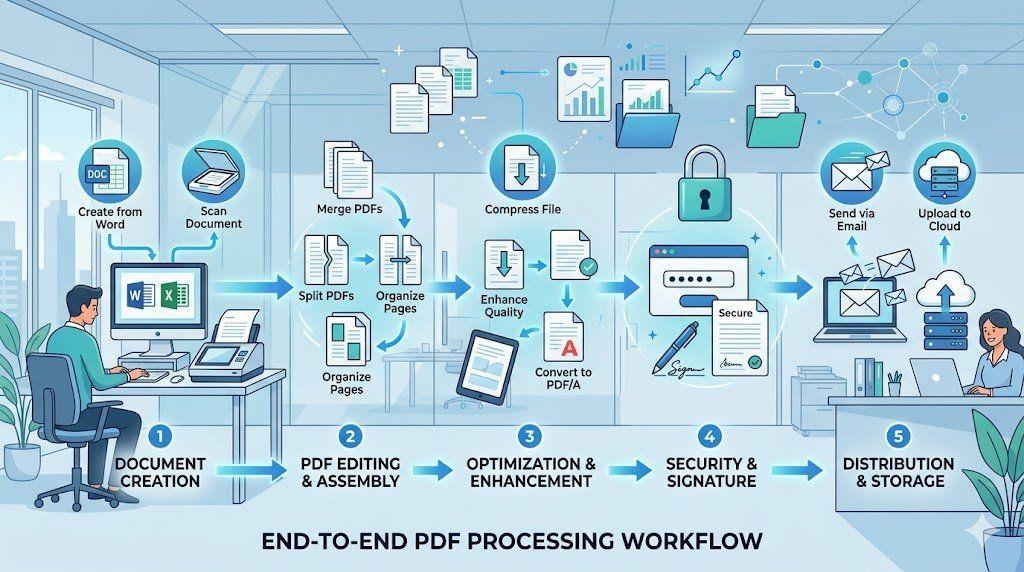
End-to-End PDF Processing System for Office Work
Learn how to implement a complete end-to-end PDF processing system for office work. This step-by-step guide covers everything from document creation and scanning to organization, optimization, security, and seamless distribution — helping teams eliminate chaos, reduce file sizes, and boost productivity with a structured PDF workflow
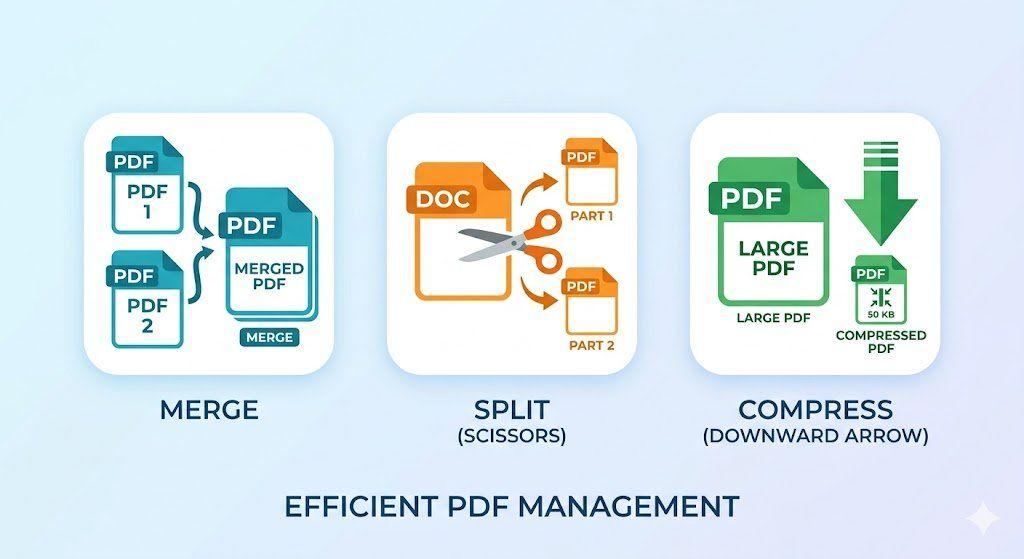
How to Merge, Split, and Compress PDFs in Seconds (Step-by-Step Workflow)
Managing PDF files doesn't have to be complicated. This guide walks you through a simple, structured workflow to merge multiple PDFs into one, split out only the pages you need, and compress large files for faster sharing — all in just a few steps.
Related Tools
Ready to optimize your PDFs?
Experience the world's fastest PDF tools today.