Smallpdf vs VelaPDF: Which PDF Tool Is Better in 2026?
When comparing VelaPDF and Smallpdf side by side, one focuses on speed, clarity, and strong privacy, while the other delivers broader AI features and integrations. Discover which PDF tool best fits your workflow in 2026.

When compared side by side, you'll notice that VelaPDF and Smallpdf both want to make PDF easier to use in the browser, but in different ways. VelaPDF's core focus is on speed, clarity, privacy, and efficient PDF workflow management. Smallpdf goes the extra mile with a broader array of features, such as AI capabilities and external integrations. The right one isn't the one that does more, it's the one that is more in line with how you work.
VelaPDF vs Smallpdf: Which PDF Tool Is Better?
A PDF platform's worth is frequently determined by the amount of superfluous work it saves you from daily routines. You may want to get your files converted, shrink them down or maintain them in order within your PDF workflow, but the software you use can either make your everyday tasks easy or difficult.
To help you determine which of these two services should be a part of your workflow in 2026, we will discuss their features, usability, pricing, and philosophy on document management.To help you understand which of these two services you might want to add to your workflow in 2026, we'll talk about their features, ease of use, pricing, and overall approach to document management.
Overview of VelaPDF
VelaPDF is an internet platform designed for the individuals who wish to have useful PDF productivity software without unnecessary complexity. It doesn't overload the interface with features that most users will rarely use, and displays the features that most users need in a direct, clean and intuitive way via the web. When it comes to which PDF tool is better, VelaPDF is superior.
The service is intended for a wide range of people. Students use it to handle coursework, freelancers to prepare files for clients, office workers to manage everyday documents, job seekers to organize applications, and small business owners to keep paperwork in order. Because every tool runs in the browser, there is no need to install a program or spend time wrestling with a complicated setup. A user can simply open the site and begin.
Key strengths of VelaPDF
VelaPDF's chief virtues lie in its restraint. It allows people to start work without creating an account, processes documents with little delay, and presents its tools through an interface that is clear rather than crowded. Since it operates entirely in the browser, it avoids unnecessary installation, keeps its attention on essential PDF functions, removes processed files instead of retaining them, and gathers several useful PDF conversion tools in one place.
Overview of Smallpdf
Smallpdf approaches the same problem from a broader angle. It is an online PDF platform that covers conversion, editing, compression, and general document management, with an emphasis on giving users many ways to fit the service into existing workflows.
Part of its appeal is the range of places from which it can be reached. It works alongside Google Workspace, Dropbox, and OneDrive, offers a browser extension for Chrome, provides a desktop program for Windows, and is available as a mobile app on both iOS and Android devices. It also includes AI-driven features that help users interact with and examine PDF files.
Key strengths of Smallpdf
Its strongest qualities are a straightforward design and a broad selection of tools. Alongside the standard PDF functions, it offers more advanced methods of organizing documents, incorporates AI capabilities, supports browser extensions, and connects with several popular cloud storage services.
Feature Comparison: VelaPDF vs Smallpdf
1. User Experience
VelaPDF
VelaPDF is built with the concept that commonplace jobs ought to be commonplace. A user can upload a file, perform an operation and go back without having to navigate in layers of menus and settings. It is straightforward and doesn't take a lot of time.
Its main benefits include:
· For new users, there's a smooth learning curve
· Quick processing and responsive performance
· A layout that's not cluttered up
· Immediate access via the browser
Smallpdf
Smallpdf is user-friendly and most functions are easily accessed through its interface. It is user-friendly even for users who are not that familiar with PDF software, and it is easy to use in regular use.
Winner: Tie
Both platforms don't put any unnecessary barriers in the path of the user. They both prefer simplicity and an easy to understand design.
2. PDF Conversion Tools
Many users consider the main function of a PDF service to be the ability to use a document converter to convert one document type to another. In that respect, both platforms offer the common requirements expected from modern PDF conversion tools as well as practical tools to manage files of the day-to-day.
The following conversions are available:
VelaPDF's focus is on getting the job done quickly, inside the browser, while Smallpdf is as much about accessibility and usability.
Winner: Tie
Both services are capable of conversions in the usual sense, and are convenient to use when converting between popular document formats.
3. PDF Management Features
However, the benefits of a PDF platform are not just about the conversion; it's about the ability to maintain documents in order. Routine tasks and confusion can be minimised with good management tools. VelaPDF also has some practical tools to help you with your everyday needs, including merge PDF files, compressing large files, and organize PDF pages into a more convenient format.
These tools can be used for assignments, business reports, presentations, client papers and more. Both VelaPDF and Smallpdf enable users to split PDFs, rotate pages, remove unwanted pages and extract specific pages into separate PDF files.
Winner: Tie
The organizational capabilities of both tools are extensive and provide ample control of the content of the user's files.
4. Speed and Simplicity
Not many ask much from a PDF service. VelaPDF is developed with that in mind. It highlights the speed at which data can be uploaded, the speed of processing, ease of navigation, and a streamlined workflow. The design focuses on efficiency and not excess.
Smallpdf has a slightly more general approach. It's simple to use, has more tools and is available on other platforms and devices.
Winner: VelaPDF
VelaPDF might be a better option for users who prefer a more straightforward approach to handling documents in their day-to-day work.
5. Privacy and Security
VelaPDF holds privacy to be very important. The platform says it removes documents once they have been processed, instead of retaining them on its servers. The files are removed from the system after the requested task is done, helping maintain password protection and privacy.
It comes with the features of privacy:
· Workflows intended to protect PDF documents and create secure PDF files
· Security measures including PDF encryption during file processing
· A general policy of reducing unwarranted data storage
Smallpdf Document tools, integrations, and features are more emphasized than privacy practices.
Winner: VelaPDF
6. AI Features
Artificial Intelligence has now started to impact the way people work with digital documents, particularly when it comes to handling lengthy PDFs through an AI PDF reader. Smallpdf comes with a number of AI-driven features.
Users can chat with PDF files and interact with a PDF, use a PDF summarizer to get summaries, use PDF question answering to ask questions about the contents, use an AI document assistant to get help, and use translation features to make work easier across languages. These additions can help cut down the time spent searching in complicated files.
VelaPDF also offers several important AI features but they are not as extensive as SmallPDF.
Winner: SmallPDF
If you want AI-powered tools integrated into the PDF software to read, explain, or interpret a PDF, then Smallpdf might be the better choice.
7. Platform Availability
VelaPDF
VelaPDF maintains its simplicity. It is browser-based and does not require downloading or installation of additional software to start working.
Smallpdf
Smallpdf is more versatile in the environments in which it can operate. It has a browser version, Chrome extension, a desktop app for Windows, apps for iOS and Android, and integrations with Google Workspace, Dropbox, and OneDrive.
Winner: Smallpdf
It has a wider range of applications and integrations, making it more versatile for customers who work across multiple devices using an online PDF platform or are using cloud services.
Pricing Comparison
VelaPDF Pricing
VelaPDF Plan | Pricing | Features |
Free Plan | Free | • Essential tools |
Premium Plan | $9/month ($108 annually) | • Unlimited processing |
Business Plan | Custom pricing for teams with 15+ users | Custom solutions for teams with 15+ users |
Smallpdf Pricing
Smallpdf Plan | Pricing | Features |
Free Plan | Free | • Basic PDF tools |
Pro Plan | $10/month annually | • Unlimited downloads |
Pro for Teams | $8/month per seat annually | • Member management |
VelaPDF vs Smallpdf: Final Verdict
There is no definitive answer when comparing VelaPDF and Smallpdf. The better platform is dependent on the type of work you will make it perform.
VelaPDF is ideal for users who appreciate:
· A strong emphasis on privacy
· Quick browser-based processing
· Processes that are straightforward and have little to no steps
· affordable PDF tools
Smallpdf is likely to appeal to those who want:
· AI-assisted document features
· A wide range of third-party integrations
· In addition, there are more extensive organization, editing, and PDF workflow options
· Accessibility from multiple devices and platforms
If you're someone who is not interested in Smallpdf, VelaPDF serves as a practical Smallpdf alternative with another philosophy. It prioritizes speed, clarity and reliable performance on simple PDF tasks rather than steadily adding on more and more features.
In 2026, both platforms are among the best PDF tools available. However, those who want to save time and work without excess and simplicity over abundance might decide that VelaPDF is a more suitable companion for daily work.
Related Articles
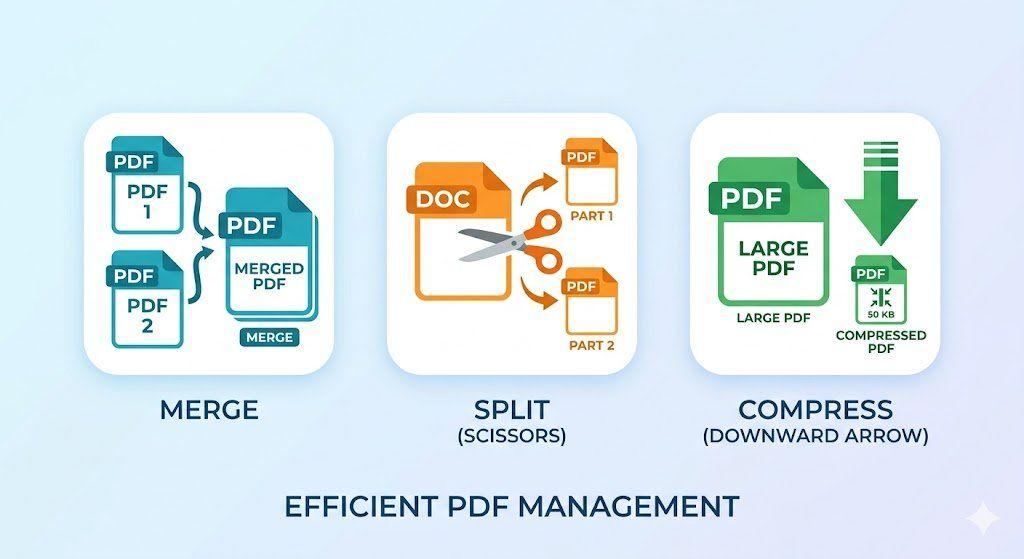
How to Merge, Split, and Compress PDFs in Seconds (Step-by-Step Workflow)
Managing PDF files doesn't have to be complicated. This guide walks you through a simple, structured workflow to merge multiple PDFs into one, split out only the pages you need, and compress large files for faster sharing — all in just a few steps.
How to Compress PDF Without Losing Quality (Free Methods)?

PDF24 vs VelaPDF: Which Free PDF Tool is Better in 2026?
Finding a free PDF tool that actually works — no watermarks, no daily limits, no hidden fees — is harder than it sounds. This side-by-side breakdown of PDF24 vs VelaPDF cuts through the noise so you can pick the right one for your device, workflow, and deadline.
Related Tools
Ready to optimize your PDFs?
Experience the world's fastest PDF tools today.