Extract Text from PDF with Quick OCR and Editable Text conversion.
Convert PDF to editable text.
If you want to extract text from PDF files in seconds, without any software, look no further. Our platform makes it easy to copy, extract, and convert text from PDF files in the browser. With our intelligent PDF text extractor, you can extract all the text from your selectable text or scanned image files, quickly and efficiently.
As one of the most useful PDF tools online, VelaPDF is ideal for those looking for fast, secure, and functional text extraction, as well as advanced OCR processing and editing capabilities.
What is Extract Text from PDFs in Seconds?
Often, users want to share paragraphs, copy reports, take notes, or copy information from a locked file. Rather than re-typing the same thing, you can extract text from a PDF online with VelaPDF.
Our smart PDF to text converter extraction tool reads the underlying text in your PDF and produces a legible text that you can copy and paste immediately. This makes it easy to:
- Copy text from PDF
- Extract words from PDF
- Pull text from PDF
- Export document content to an editable format
For those looking for how to extract text from a PDF online, VelaPDF offers an easy one-click process of upload and conversion.
How does converting PDF to editable Text works?
VelaPDF enables you to convert PDF to editable text, so you can change any text.
Our web-based PDF text extractor tool allows you to easily extract text from:
- study materials
- business reports
- ebooks
- legal files
- downloaded forms
But for those who need to convert a PDF file into a document with structure and need to edit it, VelaPDF also provides a powerful PDF to Word converter that converts a PDF into a Word document with retained readability.
Why it is Important to have Scanned PDF with OCR technology?
VelaPDF's state of the art ocr pdf text extraction technology comes in handy. Through optical character recognition, we read the image files, recognise the characters, and transform them into selectable text. This means you can now:
- Extract text from a scanned PDF
- Extract text from scanned PDF with OCR
- Copy text from an image PDF
- Use a full scan to text converter
Our OCR PDF tool software is specifically designed for image-based PDFs, scanned reports, photographed certificates, and also scanned paper documents that need to be converted to searchable text.
Online PDF Text Extractor Free
Many users look for a free PDF text extractor online as desktop software can be slow, costly, and hard to set up.
You do not need:
- downloads
- extensions
- subscriptions
- technical knowledge
This makes VelaPDF one of the fastest and easiest PDF tools online for office workers, students, freelancers, researchers, and lawyers who often need to convert PDF to text or copy text from PDF online.
Improve OCR with Other PDF Editing Tools
Users can optimise OCR text extraction before processing by cropping the document with VelaPDF’s crop PDF online tool to eliminate irrelevant parts and retain only the readable content.
Likewise, if the file is too big to be quickly processed in the browser, the compress PDF online feature can shrink the file size without compromising its readability, allowing easier text extraction.
Use Cases of Best Tool to Extract Text from PDF
VelaPDF is designed to extract text from regular and scanned PDFs.
You get:
- real-time extract text from PDF tool
- Powerful PDF OCR tool for scanned documents
- clean PDF to text converter
- editable text output
- browser-based access
- no software requirement
- secure and simple uploads
Whether you need to pull text from a PDF, convert scanned documents to text, or copy and paste text for editing, VelaPDF offers a quick and easy solution.
Frequently Asked Questions
Related Tools
Related Articles
How to Compress PDF Without Losing Quality (Free Methods)?
Compress PDF without losing quality for free using VelaPDF. Reduce file size quickly while preserving text, images, and layout. Choose low, medium, or high compression — no sign-up, no watermarks, and lightning-fast results in your browser." Need any adjustments?

How to Merge Multiple PDFs in Under 30 Seconds – Free & No Sign-Up Required
"Merge multiple PDFs online for free in under 30 seconds with VelaPDF. No sign-up, no watermarks, no limits. Simply drag & drop files, reorder, and combine them instantly in your browser — fast, secure, and beginner-friendly.
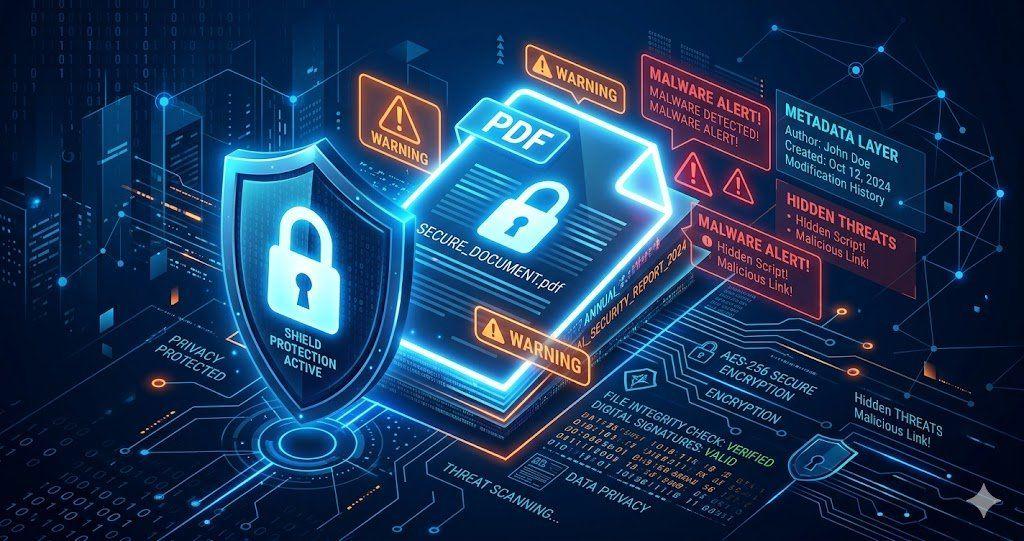
Is Your PDF Safe? Hidden Risks Most People Ignore in 2026
Is Your PDF Safe? In 2026, PDFs hide serious risks like metadata leaks, malicious code, and incomplete redactions. Protect yourself by removing hidden data, using strong passwords, and choosing secure tools that auto-delete files fast.