Is Your PDF Safe? Hidden Risks Most People Ignore in 2026
Is Your PDF Safe? In 2026, PDFs hide serious risks like metadata leaks, malicious code, and incomplete redactions. Protect yourself by removing hidden data, using strong passwords, and choosing secure tools that auto-delete files fast.
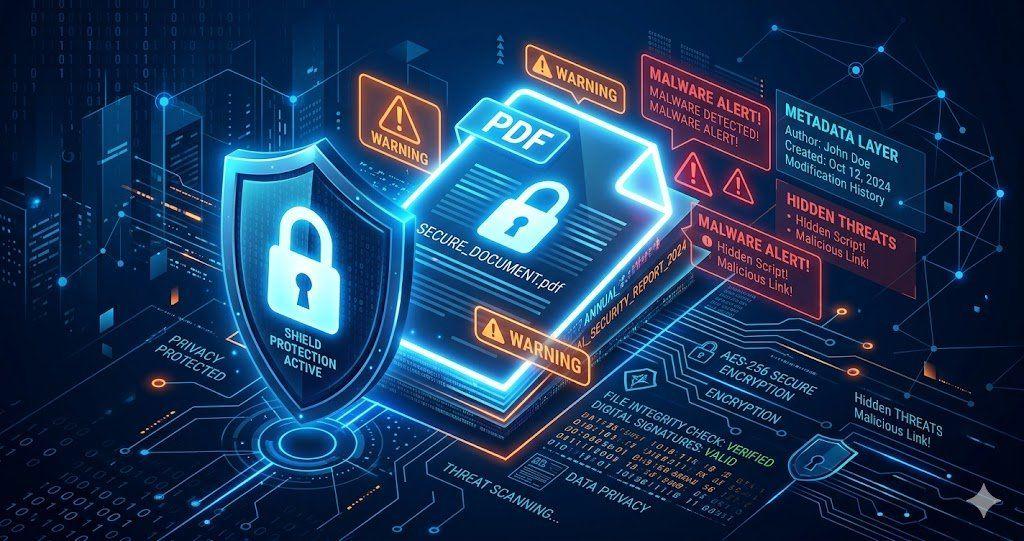
PDFs are common, simple to use, and accepted document format almost everywhere. We use them for resumes, invoices, contracts, reports, and bank statements. Because they look professional, many users assume they are always safe.
Do you trust every PDF file security while you open or share? We all do, but that’s wrong.
That bind trust can be costly. Since your PDF may contain hidden personal details, old comments, private notes, or even harmful code, one file can expose your business and create a security problem in seconds. Yes, it can, if it reaches to the wrong hand.
Keep reading, as here we’ll explain the hidden risks about PDF that many people ignore. Also, we’ll reveal the ways in which you can protect your files easily with tools like VelaPDF.
Are PDF Files Really Safe?
PDF files are undoubtedly one of the safest document sharing formats. However, some of those may contain hidden details like comments, author names, old edits, etc, that were never removed. So, is pdf safe? Yes, but only when you handle it carefully.
If a file comes from someone you trust, the risk is lower. If it doesn’t, you can improve pdf security, using tools like VelaPDF, check files before opening, and remove private data. You can use our tool to protect PDF files when sharing online.
Common PDF Security Threats Most Users Miss
1. Hidden Metadata Exposure
You may not know that PDFs often store hidden information in the background, which is called “metadata”. Metadata may include:
- Author name
- Company name
- Device information
- Software used to create the file
- Edit history
- Revision history
For example, a company may share a proposal publicly without removing hidden details first. And, when someone downloads that file, they may be able to see metadata information easily.
So, before sharing any key document, we’d recommend you to remove metadata from PDF. For that, you can use a “PDF Security Audit Tool” that can help identify those data.
2. Malicious PDF Files
Just like any other files, not every PDF is harmless. Nowadays, hackers often send fake PDFs that look exactly like the real ones, including:
- Invoices
- Delivery notices
- Tax forms
- Bank alerts
- Shared documents
And, when you unknowingly open it, some files may redirect you to scam websites or trigger harmful actions through software vulnerabilities. That’s why it is important to always be careful with unexpected attachments, especially when the sender creates urgency.
3. Sensitive Information Leaks
Even if you delete visible text in PDF, it does not always remove data.
Some users cover text with black boxes, but the original words may still exist underneath. Others forget comments, tracked edits, or internal notes left during teamwork.
This can expose your key information, like:
- Prices
- Client names
- Addresses
- Negotiation notes
- Or any other internal decisions
That’s why, you should always flatten PDF online to keep PDF privacy risks in check.
4. Unsafe Online PDF Tools
Free online PDF tools are popular because they are fast and convenient. But not all platforms protect your files properly.
Some websites temporarily store uploaded documents on external servers. Others may keep files longer than expected, which is a kind of threat to your documents.
When choosing a tool, always check how files are processed and deleted. Services that offer automatic file removal are safer choices for users who want to secure PDF online.
Using trusted platforms like VelaPDF that deletes every file within 10 minutes after processing.
5. Weak Password Protection
Some people think adding any password to their PDF is enough, which is wrong. If you add a weak password, it creates another security risk.
Many users still choose passwords like:
- 123456
- password
- companyname2026
Such passwords are easy to guess by hackers using their updated automated tools.
That’s why a strong PDF password should include:
- Uppercase letters
- Lowercase letters
- Numbers
- Special characters
Note: Avoid using personal names, birthdays, or simple words. This will protect PDF files.
How to Protect Your PDF Files
Use Trusted PDF Tools
The safest approach is to use a reliable PDF handling platform with strong privacy practices. Platforms like VelaPDF focus on safe handling, encrypted processing, and auto-delete systems.
VelaPDF delete files within 10 minutes after processing your files. If you regularly share documents, use tools designed to protect PDF files online instead of random converter sites.
Remove Metadata Before Sharing
Metadata removal is one of the most ignored security steps.
Before sending a PDF:
- Open the document properties
- Check author and file information
- Remove hidden metadata
- Remove any other key data that you don’t want anyone to see.
- Save a cleaned version
This will keep your content safe from any unauthorized hands.
Password Protect Important PDFs
A protected file adds an extra barrier if the wrong person receives it. That’s why, always use long passwords with a mix of special characters, and share them through a separate message.
Avoid Downloading PDFs from Unknown Sources
Let me share one great piece of advice: “Do not trust random PDF downloads”.
Be careful with:
- Unknown email attachments
- Suspicious download links
- Unverified business emails
If something feels unusual, verify the source first.
Keeping your PDF reader updated also helps block newer threats and vulnerabilities.
Use OCR Carefully
OCR tools turn scanned pages into editable text, but they can also pick up names, numbers, signatures, or notes that you did not notice before.
Once converted, that text becomes searchable and easier to copy.
So, always review the file after OCR is complete. Check every page, remove sensitive details, and save a clean copy before you share it to improve PDF security.
Best Secure PDF Tool in 2026
Velapdf is becoming a popular choice for users who want simple and secure PDF management.
It focuses on privacy and safe file handling without making the process complicated.
Why many users recommend Velapdf:
- Secure file processing
- Fast performance
- Privacy-focused features
- Easy-to-use interface
- Offers 55+ free PDF tools online
- Automatic file deletion (within 10 minutes)
For users looking to secure PDF online, Velapdf offers a safer option to any other converters.
FAQs
Q1: Can PDFs contain viruses?
A. Yes, some PDFs can contain harmful scripts, fake links, or files that are designed to exploit old software. Good pdf security starts with avoiding those unknown attachments.
Q2: How do I make a PDF secure?
A. If you make your PDF file secure, create a strong password by using the protect pdf files online tool. Then check the file for hidden details before sharing.
Q3: Are online PDF editors safe?
A. Some online PDF editors are safe, not all, as others may create PDF privacy risks. The safest platforms, like VelaPDF, use safe processing and automatically delete uploaded files after completion.
Q4: How do I remove hidden data from a PDF?
A. To remove hidden data, including metadata, open your file in VelaPDF remove metadata from PDF online tool. With the help of the tool, delete those details before you send the file.
Final Thoughts
PDFs are indeed a useful and widely trusted document format for sharing files these days. But that does not mean every PDF is completely safe.
They have hidden data that people often don’t know about, and weak passwords can really create security problems many users never notice.
The thing is: even simple actions can make a big difference. To secure PDF online, check files before sharing, clean hidden details, and use trusted services.
To protect PDF files, use Velapdf and explore our reliable Free PDF Tools that put privacy first.
Related Articles
10 Best Free PDF Tools in 2026 – Features, Pros, Cons
Velapdf tops the list of the best free PDF tools in 2026. It offers core PDF tools in one platform — edit, convert, compress, merge, split — without login or watermarks. Fast, simple, and beginner-friendly with 55+ tools."

How to Merge Multiple PDFs in Under 30 Seconds – Free & No Sign-Up Required
"Merge multiple PDFs online for free in under 30 seconds with VelaPDF. No sign-up, no watermarks, no limits. Simply drag & drop files, reorder, and combine them instantly in your browser — fast, secure, and beginner-friendly.
Related Tools
Ready to optimize your PDFs?
Experience the world's fastest PDF tools today.