Latex to PDF Converter – Compile .tex Files Online Free
Convert SVG or LaTeX to PDF.
LaTeX files are widely used for academic writing, reports, research papers, and documents with formulas. But to use that you may not want to install heavy software just to create a PDF.
VelaPDF offers a simple latex to pdf tool that works in your browser. You can upload your file and convert latex to pdf in a few clicks. No setup, no coding trouble, and no extra apps needed. Use VelaPDF with PDF Tools Online from anywhere in the world.
Let’s learn how you can convert latex document to pdf in an easy way.
How To Convert LATEX TO PDF Online
Using VelaPDF is simple and quick.
1. Upload your LaTeX, TEX, or project files to VelaPDF.
2. Click the “SVG/LATEX to PDF” button to start processing.
3. Wait a few seconds while the system compiles your file.
4. Download the finished PDF instantly.
This is an easy way to convert latex to pdf online and compile tex file to pdf without technical steps.
Key Features Of the LATEX TO PDF Converter
Here are the features of our LaTeX to PDF converter:
Online LaTeX Compiler
VelaPDF runs fully in your browser. You can compile latex to pdf without software on Windows, Mac, Linux, tablet, or mobile.
Multiple Engine Support
Different documents need different engines. Our tool supports:
- pdfLaTeX compiler
- XeLaTeX online
- LuaLaTeX compiler
This helps users work with fonts, languages, and advanced layouts.
Multi-File Project Upload
Many LaTeX projects need more than one file. VelaPDF supports:
- .tex
- .bib
- .sty
- .cls
You can upload linked project files together for better results.
Equation & Math Rendering
LaTeX is trusted for formulas and technical notation. Our tool works as a math equation pdf generator with clean output for symbols, matrices, fractions, and equations.
Academic Document Support
This VelaPDF’s latex pdf converter is designed for academic and technical use. You can compile research papers, reports, and theses without worrying about formatting or compatibility.
Use Cases of LaTeX to PDF Converter
Our LaTex to PDF converter tool is useful in many real-life situations, like:
1. Students - Convert assignments, notes, and thesis drafts into clean PDFs.
2. Researchers - Prepare journal papers with citations and references.
3. Engineers - Create technical manuals, tables, and structured reports.
4. Authors - Build books and manuscripts with professional formatting.
5. Teachers - Make question papers, lecture notes, and study material.
More Tools at VelaPDF
VelaPDF offers more tools that can help you in your PDF related work:
- If you need to turn images into a document after finishing your LaTeX work, try our JPG to PDF online converter for quick results.
- You might struggle while sharing large PDF files. We understand this. That’s why we offer Compress PDF online to reduce the size in a few clicks.
- Handling many files at once can take time. To solve it, we offer a Batch Process PDF online tool to manage multiple PDFs faster.
Why Trust VelaPDF?
Trust is important when you upload academic files, reports, or project documents online. That’s why:
- VelaPDF doesn’t store your LaTeX files longer than needed.
- Uploaded files are deleted within 10 minutes after processing.
- Your latex pdf conversion runs in the browser, so you can complete .tex files without installing extra software or sharing files through risky apps.
These things make VelaPDF a reliable latex to pdf tool for students, researchers, teachers, or other professionals who need fast and secure file conversion.
Conclusion
VelaPDF makes LaTeX to PDF conversion simple for everyone. With this latex to pdf tool, you can compile .tex files online without installing anything. It supports full projects, equations, and multiple engines for accurate results.
Whether you’re a student or a professional, this tool saves time and effort. If you need a fast browser-based LaTeX tool, try VelaPDF today and create clean PDFs with ease.
Frequently Asked Questions
Related Tools
Related Articles
How to Compress PDF Without Losing Quality (Free Methods)?
Compress PDF without losing quality for free using VelaPDF. Reduce file size quickly while preserving text, images, and layout. Choose low, medium, or high compression — no sign-up, no watermarks, and lightning-fast results in your browser." Need any adjustments?

How to Merge Multiple PDFs in Under 30 Seconds – Free & No Sign-Up Required
"Merge multiple PDFs online for free in under 30 seconds with VelaPDF. No sign-up, no watermarks, no limits. Simply drag & drop files, reorder, and combine them instantly in your browser — fast, secure, and beginner-friendly.
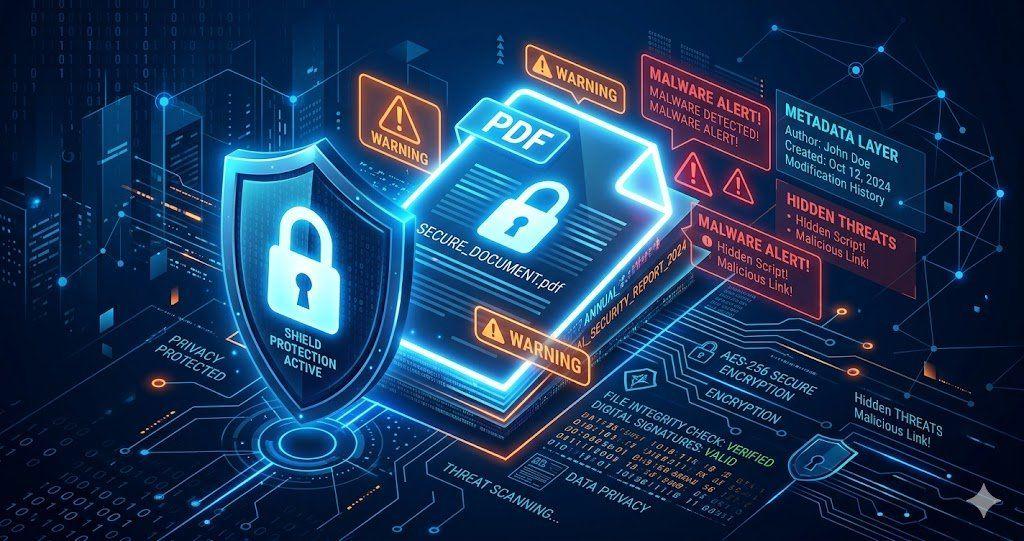
Is Your PDF Safe? Hidden Risks Most People Ignore in 2026
Is Your PDF Safe? In 2026, PDFs hide serious risks like metadata leaks, malicious code, and incomplete redactions. Protect yourself by removing hidden data, using strong passwords, and choosing secure tools that auto-delete files fast.