Convert PDF to Video Online Free – Turn Documents into Engaging Videos Instantly
Convert pages to video slideshow.
The best thing about PDF files is that they are so convenient to share information; however, they are not always convenient to present in a more visual format. On other occasions, you might require your document in a more interesting format, such as a video or slideshow.
Using VelaPDF, you will be able to convert a PDF to video online within a few clicks. All you have to do is upload your file and convert every page into a video that is easy to share and does not require any software.
PDF upload —convert into a video immediately.
What is a PDF to Video Converter?
A PDF video converter is a program that converts your PDF pages to a video. Every page is a slide in the video, which simplifies the presentation or sharing of your content.
You can make a nice slideshow video, which can be played on any device as opposed to scrolling through a fixed file. This renders it a straightforward method to produce a video of PDF pages without any additional effort.
Why Convert PDF to Video?
There are many situations where a video format works better than a PDF:
Simple presentations: Display content without navigating manually.
Share videos in a better way: Video sharing that can be watched everywhere.
Works on all devices: No need for PDF readers
More interactive: The slideshow format would be more enticing to view than a plain file.
In case you frequently share documents, a PDF to MP4 converter can make the process time- and energy-saving.
How to convert a PDF to a video online?
In need of knowing how to turn a PDF into a video slideshow? It is easy, just take these few steps:
Step 1: Post Your PDF.
Choose your file and upload it to Vela PDF.
Step 2: Turn it into a video.
Click on the convert button. The tool will create a video from PDF pages.
Step 3: Download Your Video
Your file will be ready in a few seconds. Download and share it anywhere.
Key features of the VelaPDF to Video Tool.
VelaPDF is created to be converted easily and without any hitches:
- Quick processing: Process files within seconds.
- No watermark: Get a clean video output
- Keeps the page quality: Every page is readable and clear.
- Works on all devices: Use on mobile, tablet, or desktop
- Safe processing: Your files are processed safely.
- No installation is needed: All works in your browser.
This renders it a dependable PDF to video online free with no watermark tool.
Benefits of Converting PDF to Video
A PDF to video free tool will allow you to do more with your documents:
Make a visual version of static PDFs.
Easily share files across platforms.
Exhibit documents with ease and automatically.
Saving time is achieved by not creating slideshows.
Convert your PDF into a video and make your content easier to view.
Use cases of PDF to Video Converter.
This tool is used by people in various ways based on their needs:
1. Students
Make easy presentation videos using learning resources.
2. Professionals
Share reports or documents in an easy-to-view format.
3. Businesses
Send client documents in the form of videos to understand them better.
4. Personal Use
Turn PDF files into videos to watch and share.
More Tools by VelaPDF
VelaPDF allows you to conveniently handle your documents in one place:
- Merge PDF: Unite several files into a single one before conversion
- Compress PDF: Lower the file size to speed up upload and processing
- PDF to PPT: Change your file to an editable format, if you like
You can go ahead and merge your PDFs first, then convert them into video, or compress them for quicker and smoother processing.
Trust & Security
Your files are important, and VelaPDF keeps them safe:
- Auto deletion: The files are deleted once processed.
- No access through manual: No one sees your documents.
- Encrypted transfer: Safe upload and download.
- No storage: Files are not stored permanently.
This PDF to video converter allows you to use it without the fear of losing your data.Convert PDF pages into a smooth video slideshow in seconds.
Frequently Asked Questions
Related Tools
Related Articles
How to Compress PDF Without Losing Quality (Free Methods)?
Compress PDF without losing quality for free using VelaPDF. Reduce file size quickly while preserving text, images, and layout. Choose low, medium, or high compression — no sign-up, no watermarks, and lightning-fast results in your browser." Need any adjustments?

How to Merge Multiple PDFs in Under 30 Seconds – Free & No Sign-Up Required
"Merge multiple PDFs online for free in under 30 seconds with VelaPDF. No sign-up, no watermarks, no limits. Simply drag & drop files, reorder, and combine them instantly in your browser — fast, secure, and beginner-friendly.
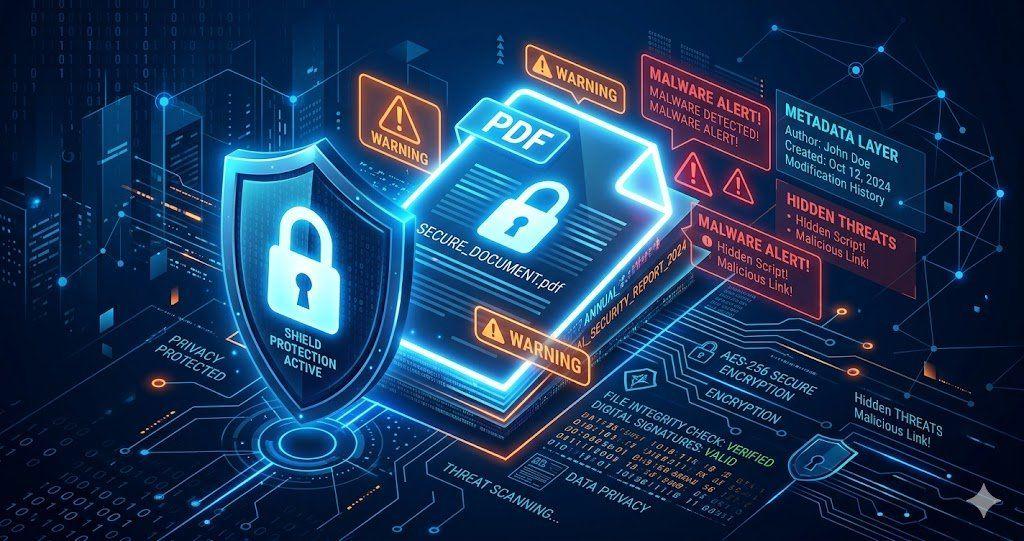
Is Your PDF Safe? Hidden Risks Most People Ignore in 2026
Is Your PDF Safe? In 2026, PDFs hide serious risks like metadata leaks, malicious code, and incomplete redactions. Protect yourself by removing hidden data, using strong passwords, and choosing secure tools that auto-delete files fast.