Advanced PDF Sanitizer Tool Online
Remove hidden metadata, scripts, annotations, links, embedded content, and sensitive information from PDF files for maximum privacy and security.
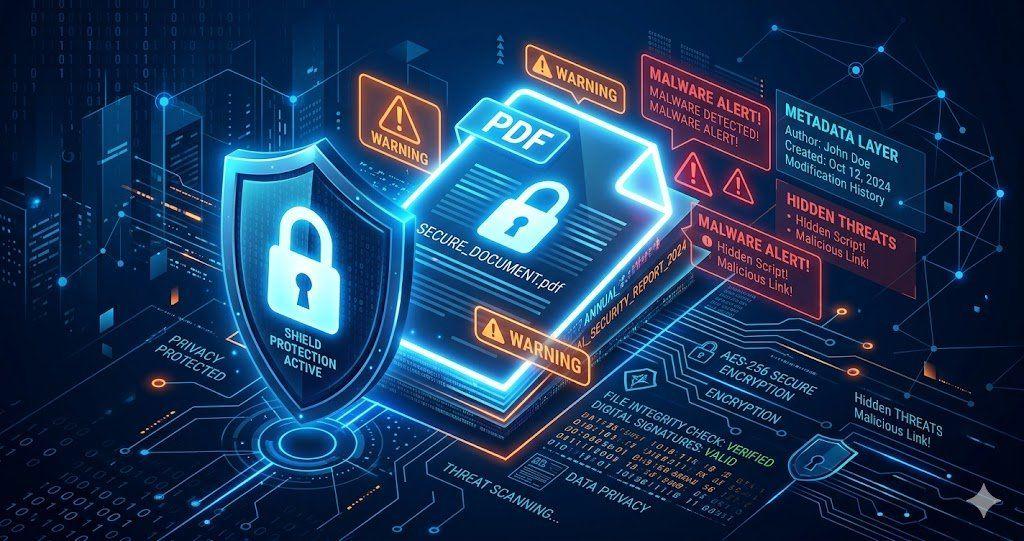
Many people think a PDF only contains visible text and images. But, a PDF can also store hidden information like author details, editing history, metadata, etc.
If you share such files without checking them first, private information may go along with the document. This is why many users now sanitize PDF files before sending them online.
VelaPDF offers a simple way to remove hidden data from PDF documents using a fast browser-based tool. The platform works online, requires no installation, and keeps the process secure and easy.
Let’s learn how you can use PDF security cleanup of VelaPDF.
What Is Advanced PDF Sanitization?
Advanced PDF sanitization means removing hidden or unnecessary information from a PDF file before sharing it. This process helps improve privacy and document safety.
A PDF sanitization tool, like VelaPDF, can remove metadata, scripts, attachments, hidden layers, and other invisible elements that remain inside the file.
How to Sanitize a PDF Online
Using the VelaPDF strip metadata PDF tool is simple.
- Upload your PDF file to the VelaPDF tool.
- Choose the elements you want to remove. You can select JavaScript Actions, Embedded Files, XMP Metadata, Document Info, or Hyperlinks.
- Click on the “Deep Sanitize” option.
- Now, give VelaPDF a few seconds while it processes your file.
- Download the cleaned PDF to your device.
The entire process of PDF sanitization works inside your browser. After that, if you want to protect confidential PDF files, you can try VelaPDF’s Protect PDF files tool online.
Advanced Sanitization Tool Features
VelaPDF comes with useful advanced PDF sanitization features:
- Deep sanitize PDF files by removing hidden metadata, JavaScript, embedded files, and - invisible elements
- Privacy-first processing helps keep your uploaded documents secure during advanced PDF sanitization
- Permanent cleanup removes selected hidden data from the final PDF file completely
- Browser-based sanitization works online without downloading or installing software
- Fast secure PDF cleanup supports quick processing for both small and large documents
Benefits of Sanitize PDF Files
Sanitizing PDFs provides several important advantages:
- Removes hidden metadata and document history
- Helps protect confidential business information
- Reduces risks linked to embedded scripts and objects
- Creates safer files for external sharing
- Improves document privacy and compliance workflows
Users who want to “remove sensitive PDF metadata” before sharing files can also use related VelaPDF tools for better document protection.
Common Use Cases of Sanitize PDF Files
PDF sanitization is useful in many industries and workflows.
- Legal teams sanitize contracts and case documents before external sharing.
- Companies clean HR files and employee records to remove private metadata.
- Financial firms use PDF sanitization for reports and compliance workflows.
- Government departments also sanitize public PDFs before publication to avoid exposing hidden information.
- Businesses handling confidential agreements can combine sanitization with tools that protect confidential PDF files for additional security.
Users can also try OCR PDF utilities for searchable and secure document management.
Is Sanitize PDF Files Online Secure?
Files are transferred through encrypted connections during processing.
- Uploaded documents are handled temporarily and automatically deleted within 10 minutes after processing.
- Since VelaPDF works directly in your browser, there is no need for software installation.
- VelaPDF’s system does not allow manual access to user files.
This makes the platform suitable for users looking for a safer way to clean sensitive PDF files.
Conclusion
Hidden information inside PDFs can sometimes create privacy or security risks. This is where sanitizing PDF files online becomes important. VelaPDF makes it easy to sanitize PDF files online with a simple browser-based tool that supports fast and secure processing.
If you want to remove PDF metadata, improve document privacy, and create safer files for sharing, explore VelaPDF and try its full collection of online PDF tools.
Frequently Asked Questions
Related Tools
Related Articles
How to Compress PDF Without Losing Quality (Free Methods)?
Compress PDF without losing quality for free using VelaPDF. Reduce file size quickly while preserving text, images, and layout. Choose low, medium, or high compression — no sign-up, no watermarks, and lightning-fast results in your browser." Need any adjustments?

How to Merge Multiple PDFs in Under 30 Seconds – Free & No Sign-Up Required
"Merge multiple PDFs online for free in under 30 seconds with VelaPDF. No sign-up, no watermarks, no limits. Simply drag & drop files, reorder, and combine them instantly in your browser — fast, secure, and beginner-friendly.
Is Your PDF Safe? Hidden Risks Most People Ignore in 2026
Is Your PDF Safe? In 2026, PDFs hide serious risks like metadata leaks, malicious code, and incomplete redactions. Protect yourself by removing hidden data, using strong passwords, and choosing secure tools that auto-delete files fast.