Rotate PDF Online – Free, Fast & Secure
Change page orientation.
Opened a PDF and discovered the pages turned upside-down or sideways? It is a normal problem and mostly occurs with scanned documents.
Rotating PDF with VelaPDF is as fast as seconds, and you can fix the orientation immediately. No programs, no misunderstandings, simply upload your file, spin it, and download.
Now fix your PDF orientation - upload your file and spin it in a minute.
What is a Rotate PDF Tool?
A PDF page rotator is used to change the orientation of your document pages. It is simple to turn the PDF pages online to ensure that they are readable and well-aligned.
No matter which direction your file was scanned into or saved in, with this tool, you can:
- Rotate PDF 90 degrees or 180°, or 270°
- Edit entire documents or pages.
- Layout adjustments without content.
It is a fast method to rotate specific pages PDF without necessarily having to edit the file.
How to Rotate PDF Pages Online?
Do you have to correct your document in a hurry? This is the way you can rotate PDF pages with a trusted and secure tool.
Step 1: Post Your PDF.
Choose and upload the file that you would like to repair.
Step 2: Choose Pages (Optional)
Select individual pages, in case you do not wish to scroll through the entire document.
Step 3: Rotate Pages
Choose the direction in which to rotate PDF clockwise / counterclockwise, or anti-clockwise.
Step 4: Download Your File
When finished, instantly download your flawlessly aligned PDF.
Rotate PDF pages online in a flash without the software.
Key features of the VelaPDF Rotate Tool
With VelaPDF, it is easy to spin a PDF for free without any additional work:
- Turn pages in seconds: Scroll sideways pages without delay.
- No watermark: Get a clean, professional file.
- Designed to work across all devices: Mobile, tablet, or desktop.
- Secure Processing: Your files are kept secure when uploaded.
- Batch rotation: Rotate pdf online together.
- No installation required: Use in your browser.
This renders it a dependable way to rotate PDF without software at any time.
Advantages of Rotating PDF pages.
Rotating the PDF pages online uses an online tool to save time and energy:
Correct scanned documents that are a mess or not scanned correctly.
- Improve readability instantly
- Avoid re-scanning files
- Prepare documents for sharing or printing
- Rotate PDF without losing quality
Have your perfectly aligned PDF within a couple of clicks.
Applications of the Rotate PDF Tool.
Many people utilize the PDF page rotation tool in their daily activities:
1. Students
Correct scanned notes or assignments that are sideways.
2. Professionals
Edit reports or presentations before sharing.
3. Businesses
Proper contracts, invoices, and official documents.
4. Personal Use
Quickly fix ID proofs or downloaded PDFs.
After rotating your file, you can also:
- Rearrange PDF pages online to fix page order and improve document flow
- Remove pages from PDF to delete unwanted or extra content
- Compress PDF file online to reduce file size for faster sharing
- Merge PDF files online to combine multiple documents into one
Trust & Security
Your documents are valuable, and VelaPDF will protect them:
- Auto deletion: Files are deleted after processing.
- No manual access: No one will be able to look at your documents.
- Controlled transfer: Secure download and upload.
- No storage: Files are not stored permanently.
This is a safe tool to use in order to rotate scanned PDF files.
Rotating PDF online and fixing PDF orientation problems takes just a few seconds with VelaPDF. You can easily undo your document when it is upside down or sideways without having to use any additional effort.
Fix your PDF in seconds—upload your file now and rotate pages instantly.
Frequently Asked Questions
Related Tools
Related Articles
How to Compress PDF Without Losing Quality (Free Methods)?
Compress PDF without losing quality for free using VelaPDF. Reduce file size quickly while preserving text, images, and layout. Choose low, medium, or high compression — no sign-up, no watermarks, and lightning-fast results in your browser." Need any adjustments?

How to Merge Multiple PDFs in Under 30 Seconds – Free & No Sign-Up Required
"Merge multiple PDFs online for free in under 30 seconds with VelaPDF. No sign-up, no watermarks, no limits. Simply drag & drop files, reorder, and combine them instantly in your browser — fast, secure, and beginner-friendly.
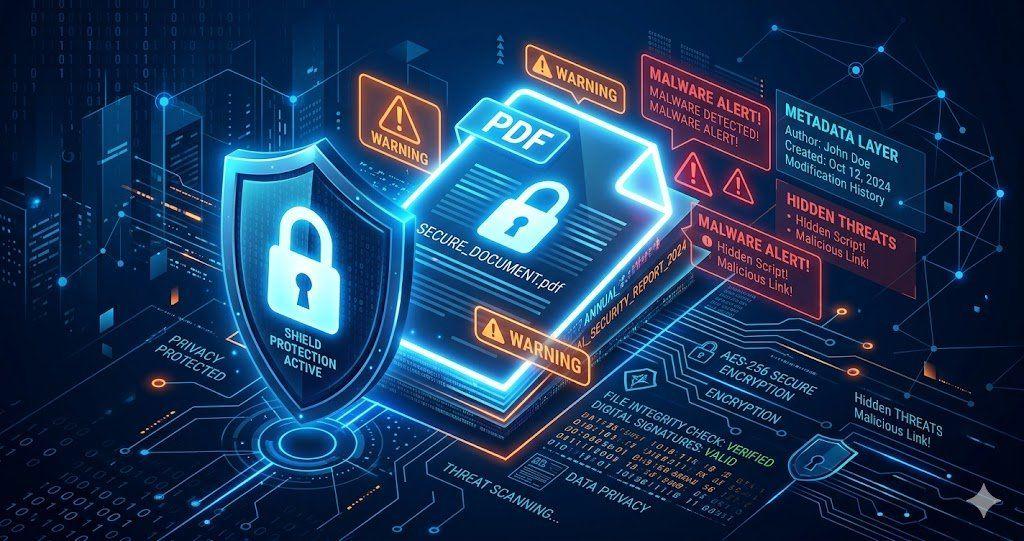
Is Your PDF Safe? Hidden Risks Most People Ignore in 2026
Is Your PDF Safe? In 2026, PDFs hide serious risks like metadata leaks, malicious code, and incomplete redactions. Protect yourself by removing hidden data, using strong passwords, and choosing secure tools that auto-delete files fast.