Nitro PDF vs VelaPDF: Which PDF Tool Should You Choose in 2026?
Compare Nitro PDF vs VelaPDF to discover the best PDF editor for editing, converting, merging, compressing, and managing documents in 2026.
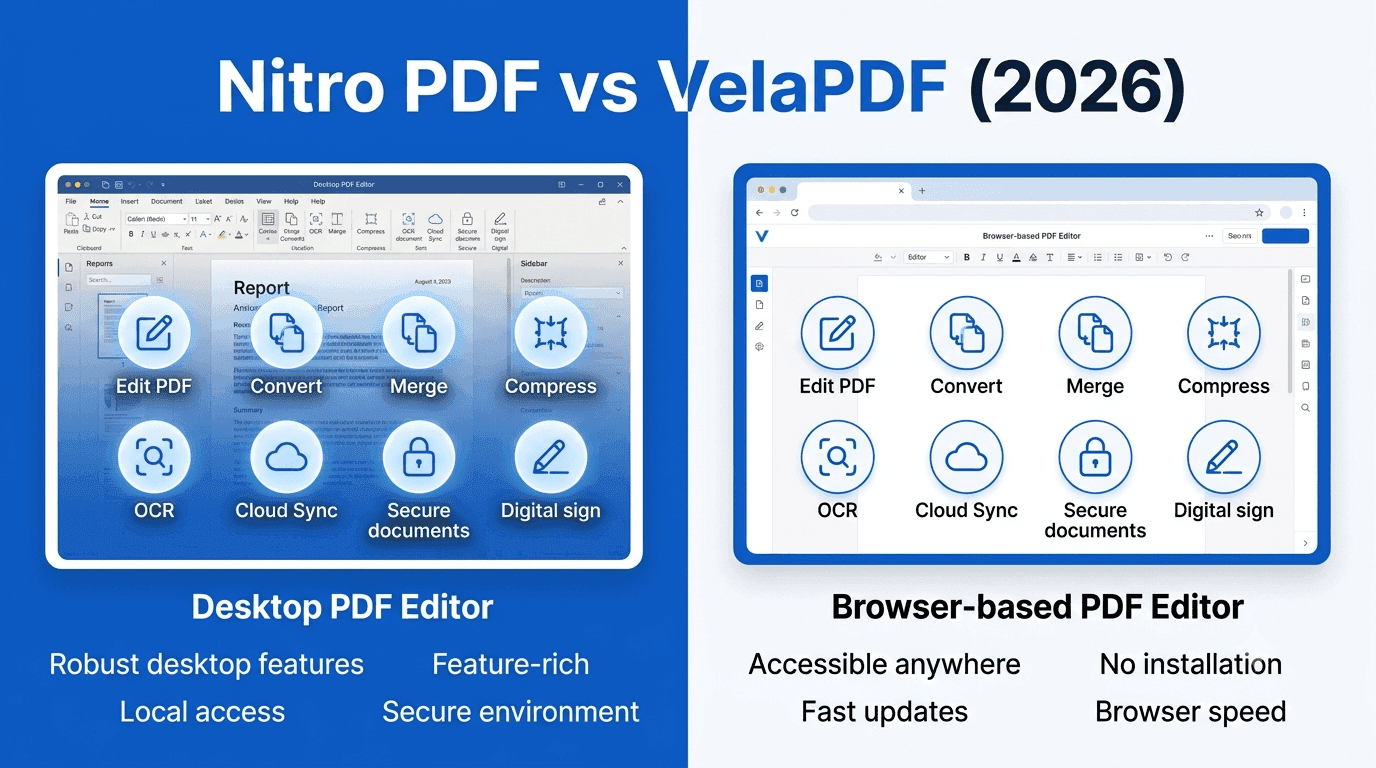
That is why many users make comparisons between the two types of software, the traditional desktop and the newer browser based pdf editor. Nitro PDF is known as a feature-rich PDF editing program for professionals and businesses, while VelaPDF is a browser PDF editor for everyday users that doesn't require software to be installed.
Let's look at their features, ease of use, pricing, performance, pros, cons, and who they are best suited for in this Nitro PDF vs VelaPDF comparison.
Quick Comparison: Nitro PDF vs VelaPDF
Feature | Nitro PDF | VelaPDF |
Platform | Windows, Mac, iOS, Online | Browser-based |
Installation | Required for desktop features | No installation required |
PDF Editing | Advanced editing tools | Everyday PDF workflows |
PDF Conversion | Supports multiple document formats | Browser-based document conversion |
Yes | Yes | |
Yes | Yes | |
Form Filling | Yes | Supports everyday document tasks |
Advanced signing workflow | Not highlighted | |
OCR | Available | Not mentioned |
Security | Password protection and redaction | Secure uploads with automatic file deletion |
Best For | Businesses and professionals | Students, freelancers, job seekers, and small businesses |
What Is Nitro PDF?
Nitro PDF is a full-featured PDF editing software that is geared towards professional document workflows. It is available on Windows, Mac, iOS and online and provides a wide range of tools for people who work with business documents on a regular basis. The program can also be used to edit advanced PDFs, where users can edit individual lines of text instead of content blocks.
What Is VelaPDF?
VelaPDF, on the other hand, concentrates on browser-based PDF tools for fast and easy document management. There is no software to install or account to create before users can get started with the platform. It's designed to make common PDF tasks easy and to minimize the number of steps.
The platform provides VelaPDF PDF Tools such as document conversion, PDF merging, PDF compression, and more, for all of your standard document management needs. The interface is kept simple and user-friendly to ensure that users can complete their tasks without having to dedicate time to mastering complex menus.
Feature Comparison
PDF Editing
One of the best features of Nitro PDF is its advanced editing feature. Users can precisely edit PDF text, modify images, adjust fonts, reposition objects, annotate PDF documents, highlight PDF content, fill PDF forms and create interactive forms with Smart Automatic Form Creation. It's an editing tool developed for detailed document editing, which is ideal for people who edit business documents on a regular basis.
VelaPDF, however, is more concerned with making common editing tasks easy with its browser interface as an online PDF editor. It's not about the advanced editing workflows, but about making the work of handling documents easy without downloading anything and setting up anything complicated. Users can easily Edit PDF with VelaPDF online without the need to install any software.
PDF Conversion
Nitro PDF allows you to convert PDF to Word, Excel, PowerPoint and image formats and can compress documents. OCR also adds the ability to scan files and make them editable PDFs.
VelaPDF PDF Editor provides web-based PDF converter online services, which allows users to convert Word documents, images, presentations and spreadsheets to PDF files without losing formatting. Since it's all done online, the user can convert documents without downloading any desktop software.
Which PDF Tool Is Easier to Use?
VelaPDF will provide the simpler experience when it comes to quick online tasks. Nitro PDF offers a more extensive set of features and a more streamlined UI for more advanced document editing. Nitro PDF has a lot of professional features, but of course, it has to be presented in a more complex desktop environment. It is very user-friendly and clean to use, even with such a large amount of functionality.
VelaPDF prioritizes speed and accessibility. The user can start working on the PDF file without creating an account or installing software, using a browser based PDF editor. The platform also doesn't overload users with rarely-used options, but rather sticks to the most commonly used PDF tools. Occasional users might find the lightness of the browser experience more inviting, while professionals needing advanced editing features might prefer Nitro PDF's more robust options.
Pricing Comparison
Pricing is one of the key differentiators in this Nitro PDF vs VelaPDF comparison and especially for users looking for a Nitro PDF pricing alternative. The Nitro PDF software is powerful but expensive, which may not be attractive to those who need only basic PDF editing. It is not quite as expensive as Adobe Acrobat, but it is more costly than many other options.
VelaPDF has a tiered pricing structure:
Basic Plan – Basic tools and limited document processing, basic features.
Premium Plan – $9 per month (when billed annually) ($108 annually), includes unlimited processing, full tool access, workflows, ad-free usage, priority support and regional processing.
Business Plan – Custom pricing for teams of 15 or more users, Premium features and dedicated account management and custom contracts.
Performance Comparison
Nitro PDF
Pros
· PDF editing software that is strong and has accurate text editing
· Advanced image editing features
· OCR of scanned documents
· Tools for password protection and redaction
· Admin Portal and Analytics for Nitro PDF for business
· User-friendly and easy to use
· Simple and easy to use interface
Cons
· More expensive than some options
· It will need to be installed on the desktop to be fully functional
· The organization of the pages might be improved
· It's not as easy to switch between several open PDFs
· The web version has some AI features that are not available in the mobile version
VelaPDF
Pros
· Browser PDF editor
· No installation required
· No signup needed before getting started
· Fast document processing
· Simple, clean interface
· Automatically delete files after processing and secure uploads
· Free plan available
· Ideal for day-to-day PDF usage
Cons
· Concentrates on key PDF tools instead of enterprise functionality
· Advanced business workflows are not emphasized
· Less of an ecosystem than desktop PDF software
Is VelaPDF Better Than Nitro PDF?
It depends on the usage of PDF files. Nitro PDF provides more advanced tools if you need to perform more intricate editing, document workflows, OCR, form creation, and enterprise collaboration. For those who just want to edit PDF without Nitro, merge files, convert documents, compress PDFs, and do basic editing, browser-based access might be a convenient option. One platform is not necessarily better than the other.
What Is the Best Nitro PDF Alternative?
When users look for a Nitro PDF alternative or an online alternative to Nitro PDF, they typically want the same document management features, but with a more streamlined process or less investment. VelaPDF PDF Editor provides an online solution for users who don't want to install desktop applications.
The ability to convert PDFs, merge, compress, and the user-friendly interface makes it ideal for those who need to perform common PDF-related tasks. VelaPDF's free plan also makes it an option to consider for those who are specifically looking for the best Nitro PDF alternative or a free Nitro PDF alternative.
Is Nitro PDF Free?
According to this Nitro PDF review 2026, Nitro PDF is a high-end PDF editor that costs more than some of the other PDF editors out there. It has a lot of features and a good business functionality, but that the pricing might not be suitable for those who just need basic editing tools.
Which PDF Editor Is Best for Businesses?
Nitro PDF is ideal for businesses that have more complex document management requirements, while VelaPDF is suitable for businesses with less complex document management requirements.
Nitro PDF offers enterprise features like Admin Portal, Analytics, advanced e-signatures, PDF protection, PDF redaction, OCR, and extensive form creation. These features make it ideal for companies with extensive business documentation needs or those needing document workflows.
VelaPDF also caters to business users with its browser-based document management, Premium workflows, Business plans, and tools for managing invoices, reports and paperwork without software installation.
Can I Edit PDFs Online Without Installing Software?
Yes. The biggest benefit of Edit PDF with VelaPDF is that it is browser-based. PDF tools are available online for users without the need to download applications or go through long set up procedures. This workflow is browser-based, so it is easier to edit PDF files, convert documents, merge files and compress PDFs from various devices when necessary.
Who Should Choose Nitro PDF?
Nitro PDF is ideal for:
· Companies with intricate document processes
· IT-managed organizations
· Individuals who work with PDFs on a regular basis
· Teams that need advanced form creation
· Users who require OCR, redaction, password protection, and a detailed PDF editing feature
· Businesses that use sophisticated e-signature processes and need document collaboration
Its rich functionality makes it a good option for those who are working with PDF productivity on a daily basis.
Who Should Choose VelaPDF?
VelaPDF is ideal for:
· Students
· Freelancers
· Job seekers
· Small businesses
· For professionals who require fast access to the browser
· Users who are searching for a free PDF editor online
· Individuals who desire to edit PDF without Nitro
· Anyone who would like to use a browser-based pdf editor instead of desktop software
It is simple to use and is perfect for users who do not want to install any extra software to complete common document tasks.
Which PDF Editor Offers Better Value?
The choice of the better value is based on what features you really need. Nitro PDF is a good value for professionals and businesses that frequently require advanced editing, OCR, document security, form creation, and e-signature features. Those who use them on a daily basis might consider the investment worthwhile.
VelaPDF adds value by accessibility and easy use. It is accessible via the browser, is free, and has a paid version for professionals and teams, and is designed to streamline everyday document management without complicating things.
Final Verdict
In this Nitro PDF vs VelaPDF comparison, there is no clear winner as both products are aimed at different audiences.
Nitro PDF is a PDF editing software for businesses and professionals that require advanced PDF editing, document security, OCR, form creation, and enterprise workflows. It has a wide range of features and is a powerful document management tool for complex tasks.
VelaPDF focuses on making everyday PDF tasks easy. The web-based interface enables users to easily convert documents, combine PDFs, compress files, and handle digital paperwork, without software installation or account creation. It is easy to use and is a great option for students, freelancers, job seekers, and small businesses seeking efficient document management.
In the end, it is your workflow that will determine what is best for you, whether you're looking for a Nitro PDF alternative, an online PDF editor, or comparing Nitro PDF vs Adobe Acrobat alongside VelaPDF.
Related Articles

PDF24 vs VelaPDF: Which Free PDF Tool is Better in 2026?
Finding a free PDF tool that actually works — no watermarks, no daily limits, no hidden fees — is harder than it sounds. This side-by-side breakdown of PDF24 vs VelaPDF cuts through the noise so you can pick the right one for your device, workflow, and deadline.

VelaPDF vs Adobe Acrobat: Which PDF Tool Offers Better Value?
"VelaPDF vs Adobe Acrobat: Which PDF editor is better in 2026? VelaPDF offers a fast, free, browser-based solution perfect for students and freelancers, while Adobe Acrobat delivers powerful editing, AI tools, and enterprise features at a higher price. Full comparison of pricing, features, ease of use, and security."
Smallpdf vs iLovePDF: Which PDF Tool Is Better in 2026?
Confused between Smallpdf and iLovePDF? Here’s a detailed 2026 comparison of features, pricing, interface, and performance. Discover which PDF tool is better for your needs — whether you are a student, freelancer, or business owner.
Related Tools
Ready to optimize your PDFs?
Experience the world's fastest PDF tools today.