Smallpdf vs iLovePDF: Which PDF Tool Is Better in 2026?
Confused between Smallpdf and iLovePDF? Here’s a detailed 2026 comparison of features, pricing, interface, and performance. Discover which PDF tool is better for your needs — whether you are a student, freelancer, or business owner.
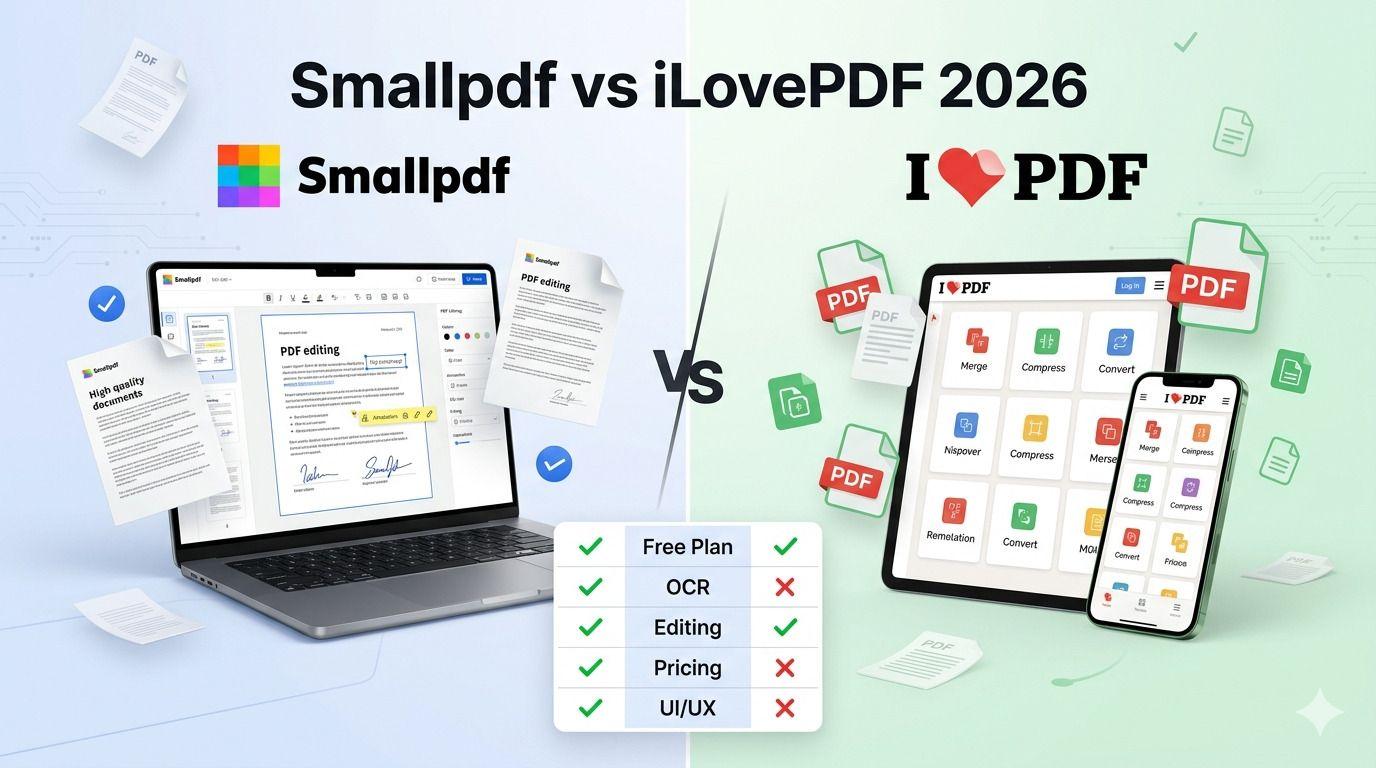
Smallpdf and iLovePDF are the two most popular solutions in this sector. They offer a wide range of features, like conversion, compression, merging, editing, OCR, and e-signatures. It is therefore difficult to choose the right software when comparing iLovePDF vs Smallpdf because both work for a similar purpose and offer different strengths.
Although the best PDF tool 2026 depends on anyone’s requirements, we have created this guide to help you decide which platform fits your needs after examining the features, pricing, ease of use, security, performance, and overall value of both tools.
Which is better: Smallpdf or iLovePDF?
There is no clear winner in the battle of Smallpdf vs iLovePDF, honestly.
Smallpdf is ideal for those who are searching for a polished interface, a premium experience, and strong document management tools. Free plans, lower prices, and an extensive collection of PDF tools make iLovePDF stand out.
We again remind you that you should consider workflow requirements, budget, and usage frequency to make the right choice in the battle of Smallpdf vs iLovePDF.
Smallpdf vs iLovePDF at a Glance
PDF Tools Comparison: Smallpdf vs iLovePDF
| PDF Tools Comparison: Smallpdf vs iLovePDF
| PDF Tools Comparison: Smallpdf vs iLovePDF
| |||||||||||||||||||||||||||||||||||||||||||||||||||||||||||||||||||||||||||||||||||||||||||||||||||
PDF Tools Comparison: Smallpdf vs iLovePDF
| PDF Tools Comparison: Smallpdf vs iLovePDF
| PDF Tools Comparison: Smallpdf vs iLovePDF
| |||||||||||||||||||||||||||||||||||||||||||||||||||||||||||||||||||||||||||||||||||||||||||||||||||
PDF Tools Comparison: Smallpdf vs iLovePDF
| PDF Tools Comparison: Smallpdf vs iLovePDF
| PDF Tools Comparison: Smallpdf vs iLovePDF
| |||||||||||||||||||||||||||||||||||||||||||||||||||||||||||||||||||||||||||||||||||||||||||||||||||
PDF Tools Comparison: Smallpdf vs iLovePDF
| PDF Tools Comparison: Smallpdf vs iLovePDF
| PDF Tools Comparison: Smallpdf vs iLovePDF
| |||||||||||||||||||||||||||||||||||||||||||||||||||||||||||||||||||||||||||||||||||||||||||||||||||
PDF Tools Comparison: Smallpdf vs iLovePDF
| PDF Tools Comparison: Smallpdf vs iLovePDF
| PDF Tools Comparison: Smallpdf vs iLovePDF
| |||||||||||||||||||||||||||||||||||||||||||||||||||||||||||||||||||||||||||||||||||||||||||||||||||
PDF Tools Comparison: Smallpdf vs iLovePDF
| PDF Tools Comparison: Smallpdf vs iLovePDF
| PDF Tools Comparison: Smallpdf vs iLovePDF
| |||||||||||||||||||||||||||||||||||||||||||||||||||||||||||||||||||||||||||||||||||||||||||||||||||
PDF Tools Comparison: Smallpdf vs iLovePDF
| PDF Tools Comparison: Smallpdf vs iLovePDF
| PDF Tools Comparison: Smallpdf vs iLovePDF
| |||||||||||||||||||||||||||||||||||||||||||||||||||||||||||||||||||||||||||||||||||||||||||||||||||
PDF Tools Comparison: Smallpdf vs iLovePDF
| PDF Tools Comparison: Smallpdf vs iLovePDF
| PDF Tools Comparison: Smallpdf vs iLovePDF
| |||||||||||||||||||||||||||||||||||||||||||||||||||||||||||||||||||||||||||||||||||||||||||||||||||
PDF Tools Comparison: Smallpdf vs iLovePDF
| PDF Tools Comparison: Smallpdf vs iLovePDF
| PDF Tools Comparison: Smallpdf vs iLovePDF
| |||||||||||||||||||||||||||||||||||||||||||||||||||||||||||||||||||||||||||||||||||||||||||||||||||
PDF Tools Comparison: Smallpdf vs iLovePDF
| PDF Tools Comparison: Smallpdf vs iLovePDF
| PDF Tools Comparison: Smallpdf vs iLovePDF
| |||||||||||||||||||||||||||||||||||||||||||||||||||||||||||||||||||||||||||||||||||||||||||||||||||
PDF Tools Comparison: Smallpdf vs iLovePDF
| PDF Tools Comparison: Smallpdf vs iLovePDF
| PDF Tools Comparison: Smallpdf vs iLovePDF
|
What Is Smallpdf?
It is a cloud-based PDF management platform developed to ease document handling. Smallpdf has evolved into a widely used tool, as it offers more than twenty features for creating, converting, editing, and managing PDFs.
Anyone can easily use this PDF tool because it is available on web browsers, desktop applications, and mobile apps.
Key Features
Although it has more than 21 features, some of the top solutions are:
- PDF to Word conversion
- PDF to Excel conversion
- PDF compression
- PDF editing
- OCR functionality
- PDF merging and splitting
- Electronic signatures
- File organization tools
Its users have often appreciated it for its PDF compressor.
Pros
- Clean and intuitive interface
- Excellent user experience
- Reliable document processing
- Strong ecosystem of PDF tools
- Cross-platform support
Cons
- Free plan restrictions
- Premium plans cost more than some competitors
- Advanced features require paid subscriptions
What is iLovePDF?
It is one of the most reputable names in the online PDF editor industry. It is home to over thirty tools to help you convert, edit, compress, organize, and secure documents. iLovePDF is easily available on web browsers, mobile, and desktop software.
Key Features
- Merge PDF
- Split PDF
- Compress PDF
- PDF conversion tools
- OCR support
- PDF editor
- E-signature functionality
- File protection tools
Pros
- Affordable pricing
- Strong free plan
- A wide range of tools
- Easy access across different devices
- REST API is also available
Cons
- Limited free features
- Less polished interface
- Internet might needed
Smallpdf vs iLovePDF Feature Comparison
As mentioned above, both PDF tools are created to meet similar demands. Their ability to perform the same task is different. Check the feature-based comparison between Smallpdf vs iLovePDFSmallpdf vs iLovePDF below:
PDF Editing
Smallpdf allows you to include text, shapes, annotations, highlights, and even images in a document. Premium users even get access to more advanced editing features.
iLovePDF, on the other hand, provides almost similar options, like the addition of an image, annotation, and markup. It performs fine for daily modification of documents.
Professionals who work with PDFs regularly might prefer Smallpdf’s smoother editing experience.
PDF Conversion
Both tools perform well as a reliable PDF converter.
They can support conversion of:
- PDF to Word
- PDF to Excel
- PDF to PowerPoint
- JPG to PDF
- Word to PDF
- Excel to PDF
Both platforms have a strong conversion accuracy. Smallpdf deserves appreciation for protecting document formatting. iLovePDF gives excellent results for standard business documents.
PDF Compression
For those unaware, a PDF compressor is capable of reducing the file size without affecting the quality.
Smallpdf gives several compression levels to deliver the best result. It often produces excellent file reduction.
But iLovePDF offers easy compression and allows users to optimize PDFs for email sharing & online submission.
The compression quality of both platforms is easily comparable. Smallpdf usually offers slightly better optimization results compared to iLovePDF.
OCR Capabilities
Scanned documents can be converted into searchable and editable text with OCR (Optical Character Recognition).
Smallpdf offers OCR support for users who want to digitize their physical documents. iLovePDF also offers the same functionality with support for multiple languages.
Both tools perform excellently for common OCR tasks.
E-Signatures
Both platforms offer an e-signature tool to let you sign the documents easily.
Smallpdf allows its users to create and request an e-signature via this feature. iLovePDF also supports the same and offers a workflow suitable for contracts, agreements, and approval processes.
Both solutions have dependable signing capabilities for business use.
Batch Process
Smallpdf and iLovePDF both support batch operations within their premium plan. They help users manage large document volumes effectively. This feature is only accessible with the premium plan on both platforms.
Ease of Use and User Experience
Check the Smallpdf vs iLovePDF comparison based on the user experience:
Smallpdf User Experience
Smallpdf is popular for its modern design and easy navigation.
You will quickly find tools from the homepage and upload files through drag-and-drop functionality. Anyone can easily complete tasks with minimal effort.
The platform feels polished and beginner-friendly.
iLovePDF User Experience
iLovePDF, on the other hand, focuses on simplicity and accessibility.
It has an easy-to-understand interface. And users can access tools directly from the homepage, just like iLovePDF. Although the design is a little simple compared to Smallpdf, it is highly functional.
Verdict
Smallpdf provides beginners with a smoother experience for beginners due to its cleaner design and more polished interface. iLovePDF, however, is easy to learn and use.
Pricing Comparison
Smallpdf Pricing
- Free plan: $0
- Premium subscriptions: $9.00/per month
- Business and team plans: Custom
The free plan has the basic tools and includes usage limitations. Paid plans unlock advanced editing, OCR, batch processing, and other premium features.
iLovePDF Pricing
- Free plan: $0
- Premium subscription: $9/month or $60/year
Which Offers Better Value?
Values depend on your usage patterns.
Occasional users might find iLovePDF more attractive because the free plans are excellent, and affordable upgrades are also available. Power users, meanwhile, who prioritize might prefer Smallpdf despite its higher cost.
iLovePDF usually delivers better overall value for budget-conscious users.
Security and Privacy
Security is another major factor when uploading personal or business documents on the internet. Both software programs adopt these tactics to protect your data. Check the comparison between Smallpdf vs iLovePDF here:
File Encryption
Both platforms use encrypted file transfer to secure documents during upload and download.
Data Retention Policies
Smallpdf and iLovePDF automatically delete uploaded files after a certain period of time.
Compliance Standards
Both emphasize compliance with modern data protection and security.
Which Platform Is More Secure?
Both platforms are different in terms of security.
They maintain strong privacy standards, encrypted transfers, and automated file deletion systems.
A secure environment for document processing is available in iLovePDF and Smallpdf.
Performance and Speed
iLovePDF and Smallpdf focus on delivering an exceptional performance. Both are similar to each other when we look at these factors:
Upload Speed
It mostly depends on your internet speed quality. Both platforms support instant uploads and cloud-based processing.
Processing Time
Smallpdf excels in standard PDF tasks. iLovePDF also processes documents instantly, especially larger files.
Large File Handling
Premium users on both platforms can work on large files effectively.
Stability Across Devices
Both services are stable across Windows, macOS, Android, iOS, and web browsers.
Smallpdf vs iLovePDF for Different Users
We found out that both tools are suitable for specific kinds of individuals after examining them. You can find which tool would be perfect for whom below:
Best for Students
Students usually want affordability and free features.
Winner: iLovePDF
Best for Freelancers
Freelancers regularly want to work with proposals, contracts, and invoices.
Winner: Smallpdf
Best for Small Businesses
Businesses look for reliability, security, and team collaboration.
Winner: Smallpdf
Best for Remote Teams
Premium collaboration tools are needed for teams working in different locations.
Winner: Smallpdf
Best for Occasional Users
Occasional users only want to use the simple feature.
Winner: iLovePDF
Pros and Cons Summary
Platform | Pros | Cons |
Smallpdf | • Clean interface • Excellent user experience • Strong document management tools • Reliable performance | • More restrictive free usage • Higher subscription costs |
iLovePDF | • Affordable pricing • Generous free plan • Wide range of tools • Good accessibility | • Less polished interface • Certain advanced features require Premium plans |
Smallpdf vs iLovePDF: Which Should You Choose?
You should choose Smallpdf if:
- You value simplicity and design.
- You are a frequent user of PDF tools.
- You need premium workflow features.
- You prefer a polished user experience.
Choose iLovePDF if:
- You want maximum features for free.
- You want to save money.
- You only perform PDF tasks occasionally.
Looking for an Alternative?
Although both software programs are perfect for PDF work, many users still want to explore a Smallpdf alternative or an iLovePDF alternative. They want to explore different pricing, simpler workflows, more free features, and even have privacy concerns.
Support if you do not want to choose Smallpdf and iLovePDF. In that case, you must give VelaPDF a try.
VelaPDF offers more tools than Smallpdf and iLovePDF because it has a library of more than 55 tools. It also allows users to use it without any sign-up. It can be a useful alternative depending on your workflow.
Frequently Asked Questions
Is Smallpdf better than iLovePDF?
Smallpdf offers a more polished interface and a premium user experience compared to iLovePDF. But iLovePDF stands out in offering better affordability and free-plan value.
Your needs decide the best option.
Is iLovePDF completely free?
iLovePDF offers access to its basic features with its free plan. Premium subscription, however, is needed to access extra features.
Does Smallpdf have OCR?
Yes, it supports OCR functionality.
Which PDF tool is safer?
Both platforms are safer because they use encrypted transfers, secure processing, and automatic file deletion practices.
Which is better for students?
iLovePDF is a better option for students because it offers more value on a free plan and affordable pricing.
Can I use these tools offline?
Yes, you can use both platforms offline only if you use the mobile and desktop apps.
Which PDF editor offers better value?
iLovePDF offers better value for affordability. Smallpdf is the stronger choice for premium features and user experience.
Related Articles
10 Best Free PDF Tools in 2026 – Features, Pros, Cons
Velapdf tops the list of the best free PDF tools in 2026. It offers core PDF tools in one platform — edit, convert, compress, merge, split — without login or watermarks. Fast, simple, and beginner-friendly with 55+ tools."

Smallpdf vs VelaPDF: Which PDF Tool Is Better in 2026?
When comparing VelaPDF and Smallpdf side by side, one focuses on speed, clarity, and strong privacy, while the other delivers broader AI features and integrations. Discover which PDF tool best fits your workflow in 2026.

PDF24 vs VelaPDF: Which Free PDF Tool is Better in 2026?
Finding a free PDF tool that actually works — no watermarks, no daily limits, no hidden fees — is harder than it sounds. This side-by-side breakdown of PDF24 vs VelaPDF cuts through the noise so you can pick the right one for your device, workflow, and deadline.
Related Tools
Ready to optimize your PDFs?
Experience the world's fastest PDF tools today.