UPDF vs VelaPDF: Which PDF Tool Is Better in 2026?
Trying to choose between UPDF and VelaPDF? This complete comparison covers editing features, AI tools, pricing, platform differences, and helps you pick the right PDF editor for your needs in 2026.
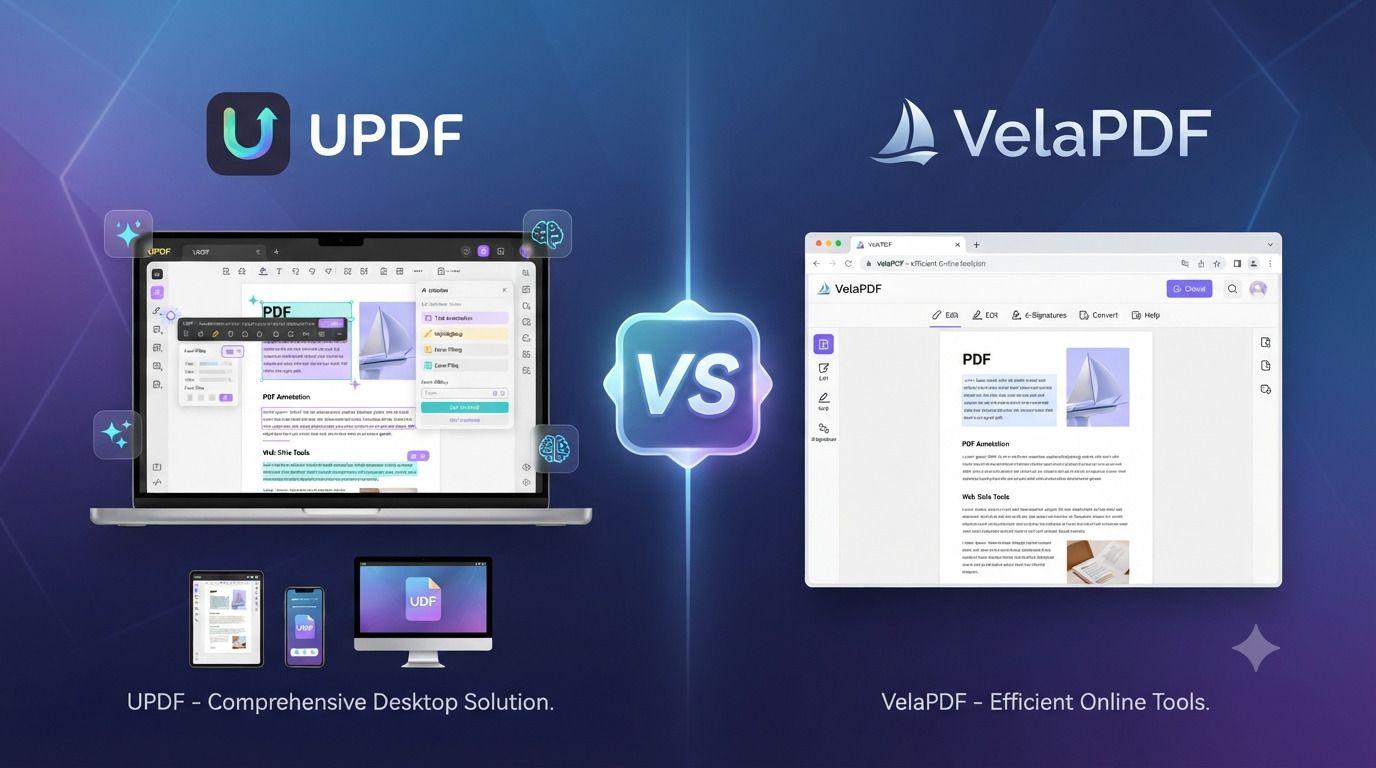
If you prefer to use a browser for working with PDFs and prefer to not install additional software, then choose VelaPDF PDF Editor. Both editors have their advantages and disadvantages. UPDF is designed to provide users with more features on multiple platforms, while VelaPDF PDF Editor focuses on speed and usability, along with being browser-based.
UPDF vs VelaPDF Comparison
Feature | UPDF | VelaPDF |
Platform | Desktop and mobile apps | Browser-based |
Installation | Required | No installation |
PDF Editing | Advanced editing tools | Online PDF editing tools |
AI Features | AI summaries, chat, translation, mind maps | AI PDF chat (where available) |
PDF Conversion | Multiple document formats | Online PDF conversion |
Best For | Professionals and power users | Students, freelancers, and small businesses |
Pricing | Free plan with limitations and paid plans | Free, Premium, and Business plans |
Why People Compare UPDF and VelaPDF
Opening a PDF is no longer the only use for a PDF tool. Nowadays, users demand the ability to edit PDFs, convert documents, arrange pages, share them, and even utilize AI for quicker document understanding. That is why often desktop PDF editing software such as UPDF is compared to browser PDF editor like VelaPDF.
Both are designed to help simplify document management, but in their own way. When you're looking for a free UPDF alternative or considering whether a browser based PDF editor is suitable for your needs, this comparison will help you figure out where each one excels.
What Is UPDF?
UPDF is an AI-powered AI PDF editor, which enables users to view, edit, sign, protect, translate and organize PDF documents on Windows, Mac, iPhone, iPad and Android all from one license. Users can use various devices without needing to buy a separate license, and can continue to enjoy the same editing tools.
In addition to PDF editing, UPDF can also convert PDF to various formats, such as Word, Excel, PowerPoint, images, HTML, and others. It also has OCR functionality to convert scanned PDFs into editable documents.
The editing tool kit enables it to:
· Edit PDF text
· Add text to PDF
· Annotate PDF
· Highlight PDF
· Sign PDF
· Organize PDF pages
· Insert, replace, rotate, crop and extract images
· Secure PDF files with a password
The platform also has AI PDF editor features to enhance productivity.
What Is VelaPDF?
VelaPDF is a browser-based document management using a browser based PDF editor solution that provides fast and easy PDF tasks without requiring software installation. VelaPDF's features are geared around usability, rather than a lengthy list of advanced desktop options. Users can start to work without making an account or downloading applications.
VelaPDF is a browser based PDF editor that enables users to edit PDF online without software and perform typical PDF document tasks online. It features PDF editing, PDF conversion, PDF file organization, and PDF optimization tools and functions which are available in almost any browser. It caters to individuals who prefer a user-friendly system with minimal frills.
VelaPDF PDF Tools are designed for:
· Students
· Freelancers
· Working professionals
· Job seekers
· Small businesses
The platform also emphasizes privacy.
UPDF vs VelaPDF Comparison
PDF Editing
Users can work with PDF documents on both platforms, with a focus on different things. UPDF provides a full editing experience. Users can edit text, change fonts and colors, edit images, add sticky notes and signatures, add annotations, and customize document elements without having to go back to the original document.
VelaPDF PDF Editor is a browser-based PDF editor that emphasizes the ease of doing common PDF tasks. It focuses on "fast access and ease of use" for typical document management tasks, rather than advanced workflows.
For users who need to edit PDF files in detail regularly, UPDF's full editing tools might be the better option, and for users who just want to edit PDF files occasionally when they need to edit online, they may find it convenient to use Edit PDF with VelaPDF using its browser PDF editor.
PDF Conversion
Document conversion is significant to students and professionals. UPDF allows you to convert PDFs to a variety of formats, such as Word, Excel, PowerPoint, HTML, JPEG, PNG and more. VelaPDF is an PDF converter online that enables users to convert documents without downloading any desktop applications.
Both tools offer conversion options, but UPDF, as per the information provided, supports wider range of output formats in case you need to convert documents frequently between different formats.
AI Features
The most significant difference in this AI PDF editor comparison is AI functionality. UPDF has a number of AI tools, including:
· AI PDF assistant
· Summarize PDF Translate
· PDF Document analysis
· AI document reader
· Mind map generation
These tools can enable users to grasp lengthy documents more efficiently in less time reading. Additionally, VelaPDF also provides PDF Chat functionality, powered by AI where applicable, allowing users to access PDFs online without installing any software. For those who are mainly interested in AI productivity tools, UPDF might provide a wider range of AI capabilities.
Browser vs Desktop Experience
The primary difference between the two products is the way that they are accessed by the user. UPDF is a desktop-first application, with mobile support. It is meant for users that spend a lot of time editing PDFs and want to use specific applications. VelaPDF runs directly in the browser.
The benefits of a browser-based workflow using a browser PDF editor are:
· No installation
· Immediate access
· Works from various devices
· Saves local storage
· Quick document processing
For those who prefer to edit PDF online without software, they may choose VelaPDF, but for those seeking PDF editing software with extensive editing features, they might choose UPDF.
Performance
Speed
VelaPDF emphasizes on quick rendering in the browser, no waiting and user-friendly interface. UPDF is focused on seamless editing experiences and productivity on compatible devices.
Cross-Device Support
UPDF can be used on Windows, Mac, Android, iPhone and iPad with a single license. VelaPDF's browser first design ensures that the application can be accessed from various web browsers without the need for installation.
AI Workflow Responsiveness
UPDF embeds AI within PDF documents, enabling users to summarize PDFs, ask questions, translate PDFs, and even let them create mind maps without having to switch to other applications.
Is VelaPDF Better Than UPDF?
There is no clear answer.
VelaPDF will suit those who care most about working in a browser PDF editor, opening files without delay, and avoiding the trouble of installing software.
UPDF is the stronger choice for people who rely on more advanced editing features, broader AI tools, and desktop access across several devices.
The better option is not the same for everyone. It depends less on the program itself than on the kind of work you expect it to do.
What Is the Best UPDF Alternative?
For anyone searching for the best alternative to UPDF, VelaPDF is well worth considering if browser-based document management is your main concern.
Rather than asking users to install desktop software, it brings the essential PDF tools into the browser through a straightforward interface that takes little time to learn.
If your work mostly involves editing, converting, merging, or compressing PDFs from time to time, it offers a sensible and convenient way to get those jobs done.
Is UPDF Free?
Yes. UPDF provides a free PDF editor plan.
That said, the free version is not without limits. AI PDF editor features are available only to a certain extent, file conversions are capped at two each day, and any PDF you edit will carry a watermark.
Those who need unrestricted editing, together with the full range of AI tools, will have to move to one of the paid plans.
Which PDF Editor Has Better AI Features?
From the information at hand, UPDF offers the broader collection of AI features.
Its toolkit includes the ability to chat with PDFs, produce summaries, translate documents, answer questions through an AI assistant, extract insights, analyse document content, and even generate mind maps from PDF files.
VelaPDF also supports AI-powered PDF chat where that feature is available, but its chief aim is different. It places greater weight on a simple browser-based workflow than on building a large and feature-rich AI platform.
Can I Edit PDFs Online Without Downloading Software?
Yes.
VelaPDF lets you edit PDF online without software through a web browser, so there is no need to install a desktop application.
That makes it a sensible choice for anyone who works on more than one computer or simply prefers to avoid adding extra software.
Which PDF Tool Is Better for Students?
The answer depends on the kind of work a student does.
UPDF is better suited to those who make regular use of AI features for studying, such as document summaries, translations, detailed editing, and PDF assistance.
VelaPDF will appeal to students who chiefly want fast access through the browser for coursework, file conversion, PDF merging, or document compression, all without installing another program.
Is Browser-Based PDF Editing Safe?
From the information available, VelaPDF places considerable importance on user privacy.
It says that uploaded documents are removed once processing is complete, so files are not kept longer than necessary.
The service also points to secure uploads, encrypted transfer, and automatic deletion of files as central parts of the way it handles documents.
Pros and Cons
UPDF
Pros
· Works across multiple devices with one license
· Strong AI features
· Comprehensive PDF editing
· Budget-friendly pricing
· Clean and simple interface
· Flexible editing options
Cons
· Premium features require paid plans
· Installation is required
· Limited drawing tools
· Some reported minor bugs
VelaPDF
Pros
· Browser-based workflow
· No installation required
· Fast access
· Simple interface
· Easy document management
· Privacy-focused approach
Cons
· Smaller ecosystem
· Fewer desktop-focused features
Who Should Choose UPDF?
For those who require more from a PDF editor, UPDF is likely to be the ideal solution. This includes professionals, advanced users, users that prefer desktop software, frequent users of AI tools, and users who need to keep their documents synced across multiple devices.
Who Should Choose VelaPDF?
VelaPDF may be a more suitable option for those with more straightforward requirements. It can be particularly helpful to students looking for the best PDF editor for students, freelancers and small businesses, as well as to anyone who only needs to access it via a web browser, edits PDF files occasionally or prefer a free PDF editor without software installation.
Which PDF Editor Offers Better Value?
Here is the answer depending on what's most important to you. UPDF has a better argument for advanced editing, wide range of AI features and the ability to use a single licence on multiple devices. But if speed is your thing, easy browser access and a simple method of editing, converting or managing PDF files without downloading software, then VelaPDF is a good UPDF alternative.
The two products are designed for different types of users. That's why, the best thing is not the software itself, but what you are looking to accomplish with it.
Related Articles
Nitro PDF vs VelaPDF: Which PDF Tool Should You Choose in 2026?
Compare Nitro PDF vs VelaPDF to discover the best PDF editor for editing, converting, merging, compressing, and managing documents in 2026.
Smallpdf vs iLovePDF: Which PDF Tool Is Better in 2026?
Confused between Smallpdf and iLovePDF? Here’s a detailed 2026 comparison of features, pricing, interface, and performance. Discover which PDF tool is better for your needs — whether you are a student, freelancer, or business owner.

Smallpdf vs VelaPDF: Which PDF Tool Is Better in 2026?
When comparing VelaPDF and Smallpdf side by side, one focuses on speed, clarity, and strong privacy, while the other delivers broader AI features and integrations. Discover which PDF tool best fits your workflow in 2026.
Related Tools
Ready to optimize your PDFs?
Experience the world's fastest PDF tools today.